
ETC Releases Updates to Congo and Eos Family Consoles
Time for some update to almost all of ETC’s family of consoles. ETC recommends that you download and update your console with the current version of the console software as these two release’s mainly deal minor issues that have been fixed since the last version update.
More from ETC’s announcement:
Congo v6.0.3
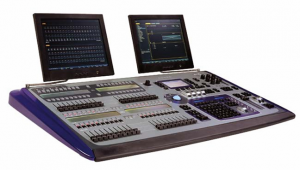 ETC is happy to announce the release of Congo v6.0.3 software for the Congo and Congo jr lighting control consoles, Congo Light Server and Net3™ Remote Video Interface units. This version is mainly to resolve issues that many users have encountered in the field with previous v6 releases. It is highly recommended that end-users currently running v6.0.0-v6.0.2 software update to v6.0.3 as soon as possible. This version has been rigorously tested not only in our labs, but in over 30 beta sites worldwide in varying configurations of stand-alone, server-backup and server-client systems. We believe this version addresses issues of “hour-glassing” and system slowdowns, as well as the unhandled crashes that caused us to pull v6.0.2 from our Web site.
Congo v6.0.3 software and Release Notes can be found in the Downloads section of www.etcconnect.com . There is also a v6.0.3 installer for Congo Offline Editor for Macintosh available for free download, as well. All consoles, Light Servers and RVI/Client PCs in a system must be updated at the same time.
Eos v1.8.1
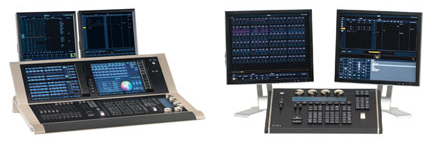 ETC is also announcing a new version of Eos-family software. Version 1.8.1 is a software patch that fixes a number of issues, including system slowdowns caused by mirror mode (this can be evidenced even when mirror mode is not deployed), and Universal Wing startup issues. It is recommended that all Eos-family products be updated at the earliest convenience.
You can access the Release Note and software from the Downloads pages of Eos, Ion®, Element™, Eos and Ion RPU and Net3 RVI. This release does not require a new Macintosh offline build (users will still use v1.8), nor does it require a new manual or hotkeys document. You can download the Eos v1.8.1 software update from the download section of ETC’s website, www.etcconnect.com.
ETC Introduces SmartBar 2
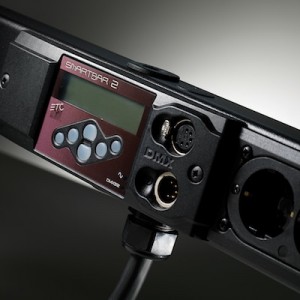 Back during LDI 2009, ETC, (Electronic Theatre Controls) demonstrated their update to the SmartBar series of portable dimmers, the SmartBar 2. I don’t know how I missed it at the show, but I did. No worries though, more from ETC on the SmartBar 2.
The SmartBar 2 provides an integrated dimming and fixture-mounting solution for compact, low-power applications, such as rentals, industrials or even small touring productions.
Set up your system in minutes and light like a pro – just plug in and play anytime, anywhere. Schools, churches, community theaters and outdoor events will benefit from SmartBar 2’s easy setup.
SmartBar 2 is fully digital, with operational and programming features similar to SmartPack – presets, sequences (chases), choice of dimmer curves – as well as many new features. And the console is optional thanks to SmartBar 2’s chases and local control, but pair it with a SmartFade® lighting control console and you have the perfect production combination!
Now available with more power! A SmartBar 2 high-power option is available to handle twice the fixtures on a four-circuit bar!
David from ControlBooth.com did a quick video of the SmartBar 2 at LDI 2009.
ETC Releases Congo V6… Again
I swear that I have written about this before… oh wait I DID! If you did not notice, ETC un-released Congo V6. ETC found just a couple of things that made version 6.0.2 not hold up to ETC’s high standards. Have no fear, ETC has fixed the problem and has just re-released Congo V6.
Here is what Sarah Clausen, the Controls Product Manager has to say:
ETC is happy to announce the release of Congo v6.0.3 software for the Congo and Congo jr lighting control consoles, Congo Light Server and Net3 Remote Video Interface units. This version is mainly to resolve issues that many of you may have encountered in the field with previous v6 releases. It is highly recommended that any site currently running with v6.0.0-v6.0.2 software update to v6.0.3 as soon as possible. This version has been rigorously tested not only in our labs but in over 30 beta sites worldwide in varying configurations of stand-alone, server-backup and server-client systems. We believe this version addresses issues of “hourglassing” and system slowdowns, as well as the unhandled crashes that caused us to pull v6.0.2 from our Web site.
If you have experienced any of the problems above, we express our sincerest gratitude for your patience. We believe that v6.0.3 addresses these problems and that you can update your systems with confidence. As always, if you experience any problems with your system, please contact us either at Congo@etcconnect.com or by calling your local ETC dealer or our Technical Support departments in the USA, UK, Germany or Hong Kong.
Congo v6.0.3 software and release notes may be downloaded here. All consoles, Light Servers and RVI/Client PCs in a system must be updated at the same timer. There is also a v6.0.3 installer for Congo Offline Editor for Macintosh available for free download.
iSquint Podcast – Episode 4 – ETC at LDI
 In this, the fourth episode of the iSquint Podcast, I got a chance to sit down with Anne Valentino and David Lincecum for ETC, (Electronic Theatre Controls) at LDI in Orlando Florida. Anne and David explained how the Eos family of desks were developed and how they listened to the lighting community to design the desks. They also gave me a sneak peak at ETC’s next desk that is still in development which I hinted about a couple months ago and gave it a code name of ET.
We also talked about some of the new products that ETC introduced at LDI 2009. The first being the Selador Fir and Ice LED fixtures. We talk about how the Fire and Ice will fit into the market place and how ETC developed and designed the new LED fixtures. While at LDI, I sat down with Novella Smith and recorded a video of Novella explaining and demonstrating the new fixtures.
David and I also talked about the other new product line that ETC introduced at LDI 2009, the Rigging Division with the Prodigy Hoist System and the Quick Touch Controls.
Look for more interviews, tech talks and product reviews in future episodes of the iSquint Podcast.
[podcast]http://isquint.net/wp-content/uploads/podcast/iSquint.net_Podcast-Episode_4.mp3[/podcast]
ETC Support and Training – Pick Your Flavor
 In life, we are always on the hunt for tips, tricks and deeper understanding of the world we live in. This holds true for lighting desk and how we operate them. Some of us may have a strong hold on how a particular board works and operates while others may not. Then there are times where we just have full out brain farts and just cannot remember a particular command or how something is accomplished.
To help combat these issues, ETC, (Electronic Theatre Controls) has quite a few different outlets for end users to get more information on how each of ETC’s desk work.
On-Site Training
Their first line of defense is On-site training when you purchase the console. What better way to learn the console with an ETC tech right in your booth working with you on YOUR desk, in YOUR venue? It is a one on one approach that gets questions answered quick and even a run through on the console of how to do it.
The Manual
Every desk comes with a operation manual. But this can be confusing some times. You don’t always know what you are looking for or the right keyword to look up in the index of the manual. If you know what you are looking for, say cue timing, it might not be so tough to find. Locate the section, then the area that you are looking for and the manual gives you detailed instructions on how to perform that task with key combination’s.
Video Tutorials
With video content being easier and easier to share online, ETC has made training tutorials available through YouTube for almost all of the lighting desk. They are broken down into section pertaining to a specific topic rather then running through the entire manual in one video. So say you want to view just the video on cue timing, no problem, the video is available either on ETC’s website, (www.etcconnect.com) or through YouTube.com. Etc has even made these training videos available on a DVD that you can purchase right from them so you have ready access to them at any time.
User Forum and Wiki
If you run into a problem that you just could not get solved through any of the previously mentioned support centers, look towards your fellow users on ETC’s User Forum. From there you can quickly search the forum to see if any other user of the desk has had the same problem or issue and how it was resolved. If you can’t find anything, no worries, post a message and see what others come up with. It make take a little bit of time depending on when you post your message, but typically someone reply’s relativity quickly. ETC product managers and tech service people monitor the forum and provide information about user questions and from time to time throw out some neat tips and tricks on desk.
ETC also has a Wiki setup on their support site with a knowledge base to further help users find information that they might be looking for. There are articles ranging from simple steps to setting up your desk to networking all of you devices on a network. The Wiki is just another tool online for users to get support 24/7.
Local Education Center Classes
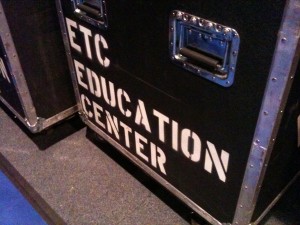
Looking for more training on your console with an instructor right there to answer your questions? ETC has you covered there too. ETC’s Education Center has been forming local classes around the country to help users learn their desk. Attendees are sat down in a class style format with consoles for about every 2-3 users depending on class size and cover topics from beginning on the console to advanced programing. Classes are organized through out the year. To find one near you, visit the ETC Education Center web page.
Tech Support
ETC’s last line of defense to make sure you are covered and know how your console operates is the phone Tech Support. During business hours, tech support is happy to answer your questions and help you get on the right track with your desk. When calling be prepared to answer some questions though. All of tech supports questions will help lead them to the problem/fix/answer much quicker. It also helps to be in front of the desk when you are calling, they may want you to do somethings on the desk while on the phone.
Tips and Tricks
Last but not least, who doesn’t like to learn a good tip or trick on how to operate their desk? ETC has a number of different outlets just for that. The first is a Facebook group called I <3 [heart] Sneak. There are some great quick tips there about how sneak operates on the ETC Eos family of desk.
Another outlet ETC has organized is something I just have become a fan of is the Tea Break Tutorial website. Here users can take a Tea Break from what they are doing and learn some quick tips, trick and tutorials on how to operate the Eos family of desk. The site even provides sample show files to follow along with.
In conjunction with the Tea Break Tutorial Website, there is a twitter feed, @teabreaktutor, that gives wonderful little tips and key stroke combination’s to make programming and operating the Eos Family of desk quicker and easy.@teabreaktutor is a must follow if you own or operate and Eos family desk. not just for the great tips, but also for the great humor interweave into the tweets.
Conclusion
If you own or operate an ETC desk, ETC has multiple ways of giving you the level of support you need and are looking for. It just shows that manufacturers are there when you need them. Weather it be on site support, phone support or online support, you are never left out in the dark from getting your questions answered.
ETC Fire and Ice LED – Novella Smith Explains
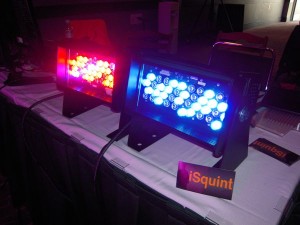 Yesterday I wrote about ETCs latest LED products, the Fire and Ice Seledor units. I had a chance to sit down with Novella Smith, the LED Market Manager for ETC and one of the original developers of the Seledor line-up of LED fixtures.
ETC not only talked but listened to Lighting designers to develop the new line up of LED fixtures. Separately, the fixtures produce amazingly intense and super saturated colors not normally found in typical RGB, RGBW or even RGBA LED fixtures. What is truly impressive is when combining the fixtures to produce a great looking white.
Just like all of the Selador fixture, the Fire and Ice fixtures utilize the 10 t0 90 degree vertical and horizontal lens to spread the beam how ever your heart desires.
Update: #LDI2009 – More Photo Goodness
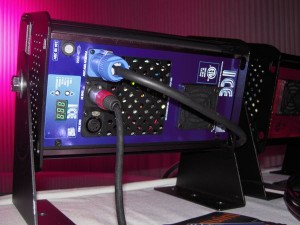 I just added more photos to the iSquint Flickr 2009 LDI Set. I saw some pretty cool stuff in the afternoon. We got some close up photos of the new Fire and Ice LED fixtures from ETC.
I also got a closer look and touched the RSC LightLock From Total Structure. Pretty neat device. It was announced back at PLASA and is being shown here in the US for the first time at LDI. It’s really neat to move the fixture and watch the LightLock correct and get it back into position!
I also learn of a couple of other things that were announced just this morning that I’ll be writing up here shortly. Thus far, it has been one wickadly long day on the feet, but the foot traffic on the floor seemed up from expectations. Atleast that is what most of the exhibitors said!
Only two more days of #LDI2009 and there is still plenty to see. Stay tuned, it’s only just begun!
ETC Introduces Fire and Ice LED Fixtures
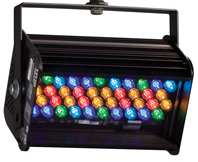 I just had a chance to talk with Mrs. Smith from ETC about their latest LED product, the Selador Fire and ICE LED fixtures. ETC has taken the X7 11 fixture and reduce to colors to make two versions of a more intense wash fixture. With the Fire fixture, you are able to achive deep, brighter reds as the cooler colors have been reduce in number in the fixture. Additionally, with the Ice fixture, it is the opposite, the red or warmers color LEDs has been reduced to give cooler brighter and more robust blues.
When combining the fixture together and mixing the fixtures, you are able to create a bright white and even more color possibilities. What is awesome to note about the either the Fire and Ice, the output in lumens is at least DOUBLE that of a Source Four Par with an HPL750 lamp.
Shipping of the fixture is expected to begin the first quarter of 2010.
Please note that the image above is of a Vivid 11 and not the Fire or Ice LED fixture.
Breaking News: ETC Enters Rigging Market
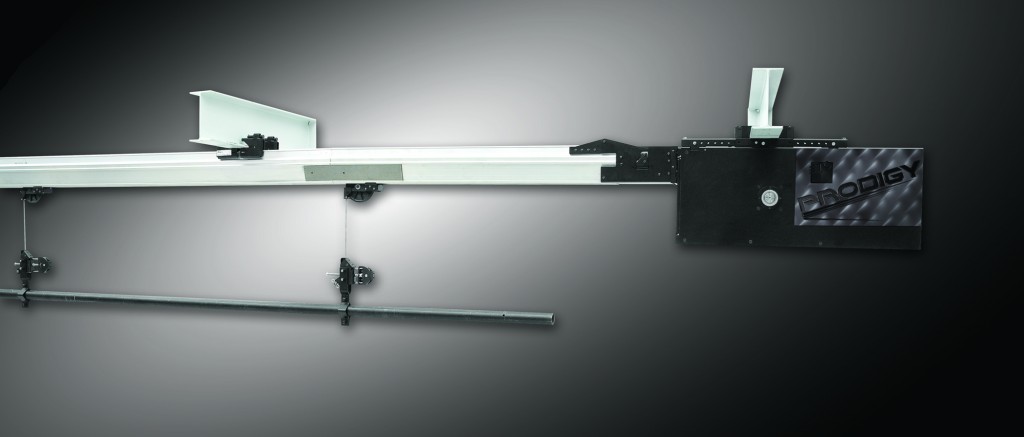
WOW, talk about big news! ETC really is raising the bar just as their ad’s have been saying! It was just announced that ETC is entering into the Rigging Market with a new division of the company, ETC Rigging. You can find more about ETC Rigging by visiting their website at www.etcrigging.com.
I am going to let the Offical Press Release tell the rest of the story:
Already leaders in the entertainment-technology industry with their respected lighting fixtures and control systems, ETC will unveil a line of innovative motorized hoists and hoist-control systems for theatrical and architectural use. The product family is called ETC Rigging™, and its first offerings — on view at LDI — will be the fixed-speed ETC Prodigy™ hoist systems and ETC QuickTouch™ controls. (More specific information on the benefits and features of ETC Rigging can be found on the new Web site www.etcrigging.com , which offers detailed video and animated illustrations of the products.)
ETC Chief Executive Officer Fred Foster explains this major corporate move: “ETC has always been driven by the pursuit of a better way to do things – to create products that represent real progress in entertainment technology. We have developed this new range of rigging systems with the same spirit of pioneering technological innovation that brought the industry our Source Four spotlights. Our ETC Rigging systems literally and figuratively raise the bar – engineered to set new standards for safety and smart design, while being affordable.”
Experts for almost 35 years in the stage world, with thousands of lighting installations worldwide, ETC has closely scrutinized the state of the art of rigging. “We found significant opportunities for improvement,” says ETC Vice President of Business Development Bill Gallinghouse. Sophisticated technical features such as slack-line detection, status feedback, load cells, and absolute position encoders, are standard — not options — in ETC’s rigging product range. “We have rethought the fundamentals so that more kinds of venues have access to cutting-edge automated rigging,” says Gallinghouse. “The range of applications for this first series of ETC Rigging will go from grade schools to high schools, colleges and universities, to houses of worship, community theaters, and TV.”
ETC Rigging includes unprecedented innovation in technology — a smaller powerhead, unique cable management system, an innovative compression tube backbone. Prodigy hoists retract compactly into 30 inches of plenum space, fitting into low-ceilinged venues while preserving sightlines and aesthetics. Venues whose architecture could not support other hoist systems can now access motorized rigging: ETC compression-tube technology imposes no additional lateral-load stress on buildings. And new buildings with limited budgets can choose affordable ETC Rigging instead of having to specify expensive catwalks or other structures to gain easy, safe access to their truss and stage equipment.
Known for their award-winning control systems in the lighting world, ETC has taken this expertise into the rethinking of better controls for hoist automation, with the result being the powerful, scalable, yet simple to operate ETC QuickTouch series.
Gallinghouse emphasizes, however, that technological innovation is just one part of ETC’s overall plan to serve this market: “ETC is partnering with the most experienced and qualified rigging installers and supporting them with our unmatched project management, customer and technical service, and manufacturing to provide complete, safe and economical rigging solutions.”
ETC says that orders are already being taken for ETC Rigging systems, and the company plans to begin shipping the products in January.
Mystery ETC Image , New Fixture On It’s Way?
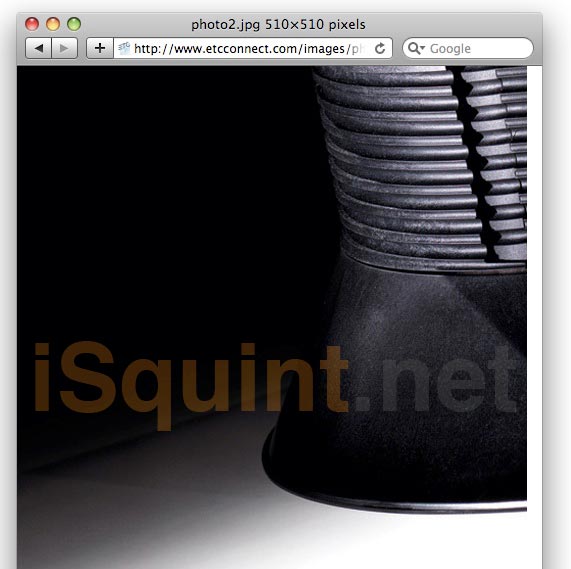
We received an interesting email this afternoon for one our moles deep within the bowels of Middleton. We were sent to an interesting link directing us to ETC’s website with just the above image. Very little was said within the email about the photo, so we cannot say exactly what we are seeing here.
All well know is that almost every lighting manufacturer out there is pushing their R&D departments to produce a reliable alternative energy source ellipsoidal. So might this be a shot of a “Source 4” LED or Plasma light source? Is this the huge announcement we are waiting to hear at LDI this year?
When we learn more, we will certainly update you here. And yes, we have “hidden” the link in the image as to help protect our source. The above image has not been altered in any way other then our watermark.
UPDATE: ETC Releases Eos/Ion 1.8 Software… But Wait, There is MORE
Yeah yeah, we all heard it earlier, ETC released the Eos/Ion software version 1.8 with some pretty snazzy additions right. Well, it looks like we didn’t get the whole story!
ETC just announced that the Ion is able to upgrade to a 2500k (5 universes) and a 3000k (6 Universes). Talk about some control. All previous models of the Ion console will be able to be upgrade to the max universe count, 6 universes via a software upgrade code that you must purchase through your local dealer.
ETC also announced the release of the Ion 3K Remote Processor Unit, (RPU) which also supports six universes.
Have questions about the upgrade, contact your local dealer or visit ETC’s website at www.etcconnect.com.
Photo Credit: productionmusings.com
ETC Releases Eos/Ion Software Version 1.8
We noticed on ETC website that they have released Software Version 1.8 for the Eos and Ion consoles. Some of the major additions to the software is Mirror Mode.
Mirror Mode is used to mirror the displays of another device. When a device is in mirror mode, the only action allowed from that device is paging via the page keys and shut down/start up. When a device in mirror mode pages, it also pages the host.
Mirror mode is intended primarily to allow a designer or assistant to see the exact same displays as a programmer on the system. It can be used on any device on the network, including the primary processor. Any device being mirrored is referred to as the Host.
The other add-on to Version 1.8 is Fan for moving lights
Fan provides the ability to spread parameter and timing values in a range across a channel selection set and have those values be evenly spaced. Fan is applied by channel selection or group order. By default, fan operation is from the start channel.
As with all software updates for the Eos and Ion lighting console, the update is a free download from ETC’s web site www.etcconnect.com.