New iOS App: ShowTool Swatch
 Daniel Murfin, the UK App developer for the lighting industry has recently released a new app to the iTunes App Store, ShowTool Swatch. You may remember some of the other great apps from Daniel, ShowTool LD and ShowTool SM.
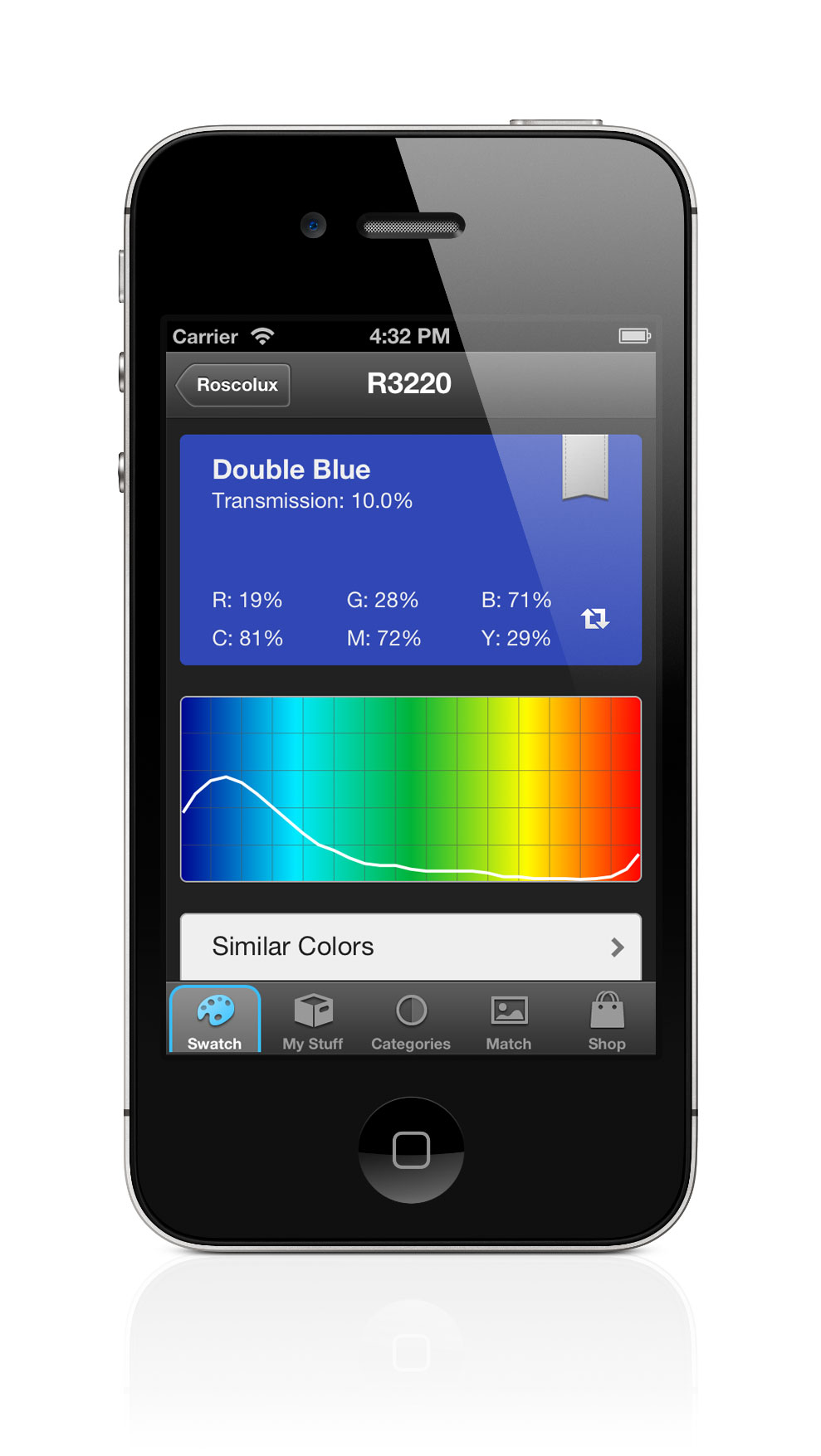
ShowTool Swatch brings your gel swatch book to life. It’s the easiest and most beautiful way of viewing the information most important to you, helping you to make the right decisions when time matters. Share your ideas with friends or send orders straight to your local dealer.
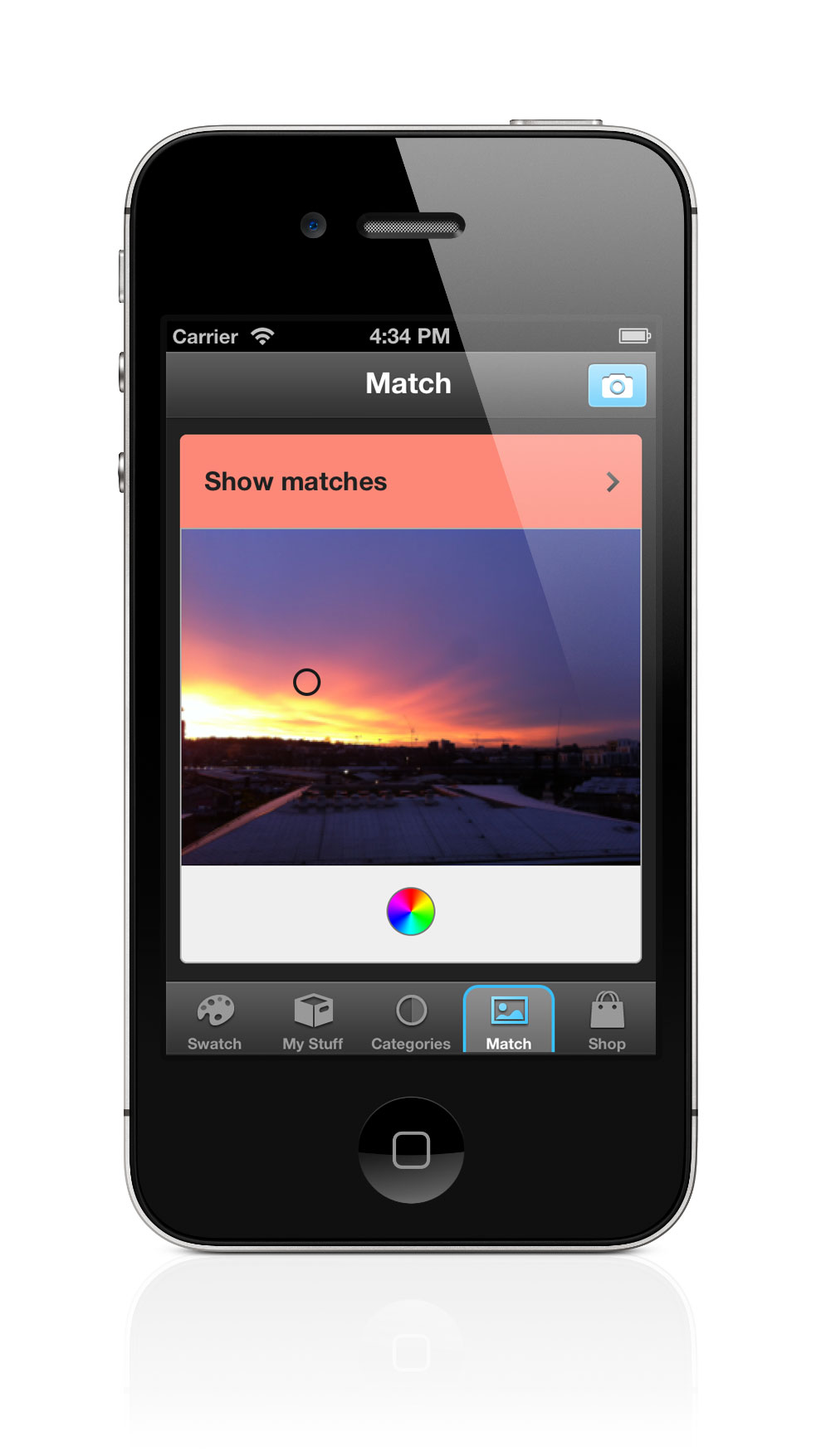
ShowTool Swatch comes fully stocked with the most up to date catalogs for Lee, Rosco, Gam and Apollo with updates as new gels are added. Browse gels by manufacturer and range or search for a specific color by name or number. Gels can be sorted by number or in catalog order just like your old swatch book. Mark your favorite gels for quick and easy access or simply view a list of your most recently viewed gels. Notes can be added to each gel for when you just need a little reminder.
ShowTool Swatch is a universal app designed to run on the iPhone, iPad and the iPod Touch running iOS 5. Visit the iTunes App Store and pick up a copy for $5.99 USD. Learn more about ShowTool Swatch by visiting Daniel’s website.
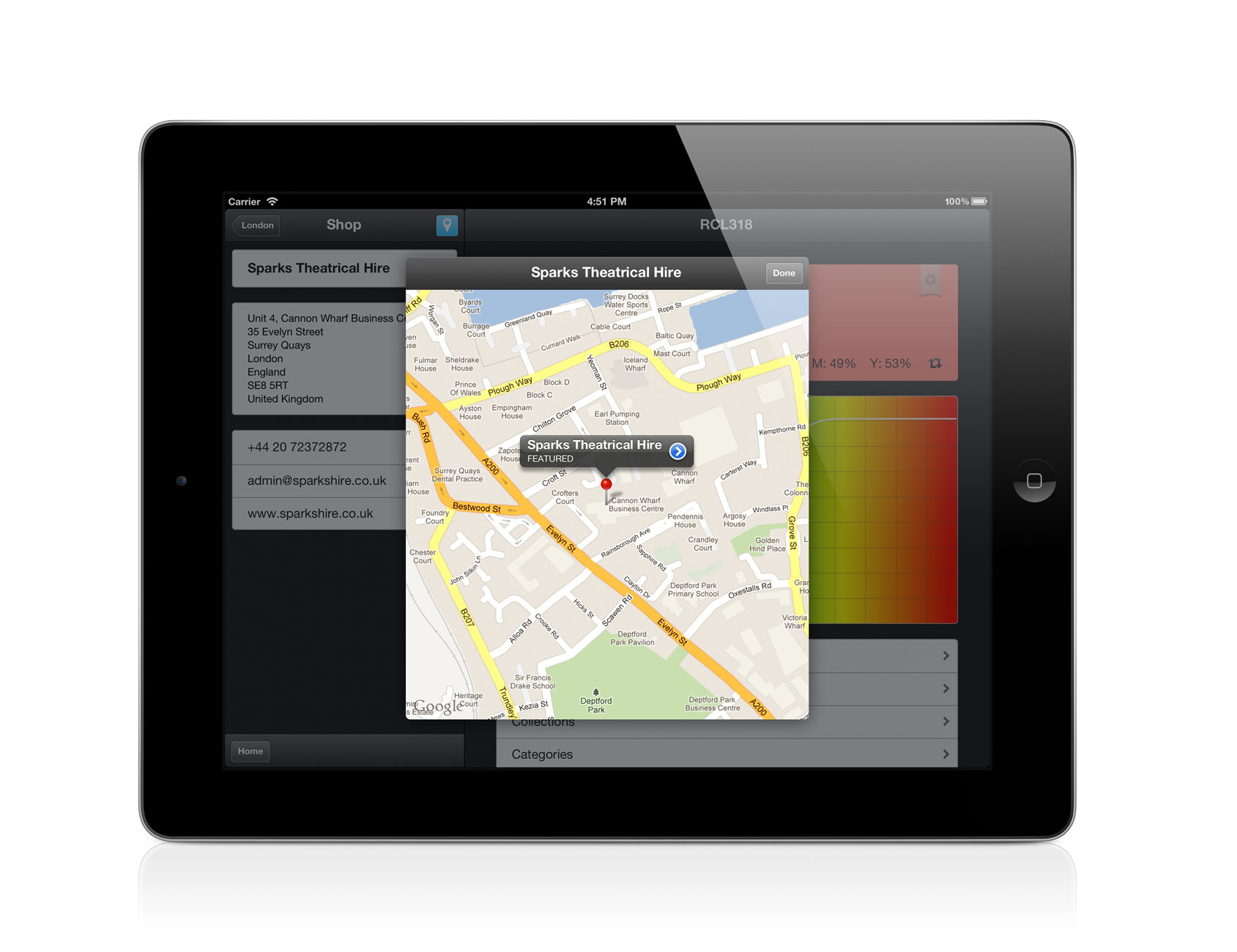

ESTA Foundation Announces eSet App for iOS
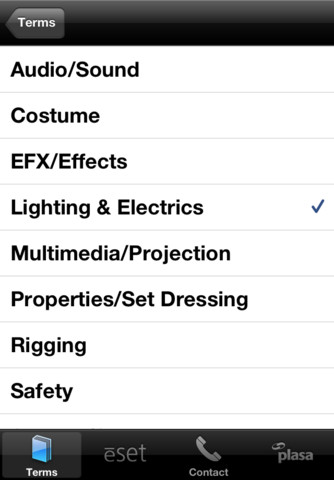
The ēSET (Essential Skills for the Entertainment Technician) body of knowledge developed and vetted by industry professionals has now been released as an iOS app available for download in the iTunes store.
The body of knowledge has been available on the ESTA Foundation site but ēSET committee member Dana Taylor thought it needed to be even more mobile so he decided to work to make it an iOS app.
The creation of the ēSET program was born of the realization that many current entry-level entertainment technicians lack fundamental knowledge and skills related to the industry. The resulting goal of ēSET is to provide technicians with the knowledge and skills they will need to function effectively across all fields of the live entertainment industry and a tool to organize and guide their learning.
The user of the ēSET program will be able to focus on self-selected topics utilizing a sequential approach to learning drawn from a database of textual and graphical content related to entertainment technology. Further, ēSET provides tools to better assist the user in organizing selected materials in a meaningful fashion, enhancing the learning experience and providing a ready reference to important data.
- For educators, the availability of in-depth materials and the ability to organize them for students will better enable them to assist and engage student learning while providing the student with the most up to date information available.
- Facility managers will be able to collect venue-specific information to better assist in the training of their workforce.
- Employers will have a new and powerful tool to identify employee skills and readiness for work and a mechanism to support further training of their staffs.
- Individuals will have a vast source of technical support materials literally at their fingertips.
The 99 cent ēSET app offers educators, managers, employers and individuals an on the go tool by which they can teach, learn and prosper within the industry. You can download the ēSET app from the iTunes App Store.
Synthe FX Updates Luminair to v2
 It has been some time since we heard news from Synthe FX. Their latest Press Release tells us why! Here is more from the pr:
Synthe FX is pleased to announce the immediate availability of Luminair for iPad v2, the next generation of the popular touch-based DMX lighting control app for live entertainment, film and TV production, architecture, and for anyone else who works with creative lighting.
Luminair is a full-featured mobile lighting control platform, capable of controlling all DMX compliant gear including LED fixtures, conventional lighting, dimmers, media servers, and more, using any Art-Net or sACN to DMX interface.
v2’s new project architecture was rewritten from the ground up to take full advantage of iCloud, making it the first lighting controller on the market to offer seamless syncing of project files across multiple devices via the cloud. The new version also adds a new layer-based cue merging system, integrated sharing options, undo support, as well as the ability to wirelessly monitor DMX input and output signals on an external HDTV or projector via AirPlay and Apple TV.
Luminair for iPad v2 is available now for purchase and immediate download through the App Store on iPad, or through iTunes on a Mac or PC. v2.0 is a free update for existing Luminair for iPad users.
Luminair for iPad v2 feature highlights:
- iCloud support. Automatically sync Luminair projects, fixtures, images, and other documents between multiple iPads
- AirPlay, HDMI, VGA, component and composite video-out support for displaying DMX input or output levels on an external display or projector
- Integrated sharing options add the ability to send project, fixture, and image files via email and Twitter
- New “merge” cue type allows you to combine and arrange the DMX levels from multiple cues in a layer based hierarchy
- Designate any track as a master, independent of changes between cues
- Undo support for many actions throughout the app
- Over 25 other improvements, bug fixes and more
A brief video detailing the new features in Luminair v2
Luminair v2 is a free update for those that have already purchased the app. If you have not already purchased the app, Luminair runs $99.99 on the iTunes App Store.
New iOS App: Palette iRFU For Strand Consoles
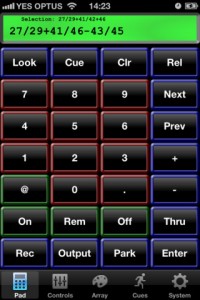 For all you Strand fanatics, good news, there is now a Remote Focus Unit app available for you on your iOS device! The app is not an official app from the Philips/Strand Lighting company, but from a third party app developer, Backstage Solutions. These are the same people that made an RFU for the Palette Series of desk that is web based, mRFU.
Here are some of the features of Palette iRFU:
- Channel/Fixture and Output control with ability to Park channels
- Attribute controls; Color Picker, Position Pad and basic access to several other attributes
- Access to the Palette button array; Which can get selection information for the group palette and will set attributes of the remotes selection for Position, Color and Other.
- Cuelist display and controls
- Go, Stop, Release and Jump to cues.
- Rotate device to the left for a virtual looks view. With live feedback from console
- Rotate device to the right for a grid of channels or outputs
- Also with live feedback. The grid allows you to tap fixtures to select/deselect, press and hold to see patch information.
If you are a Strand User, header over to the iTunes App Store and pick up a copy of Palette iRFU. Through the month of January, Backstage Solutions is running a 40% off sale which brings the app to $26.99 USD.
New iOS App – Easy Remote…or is it LumiDesk Remote?
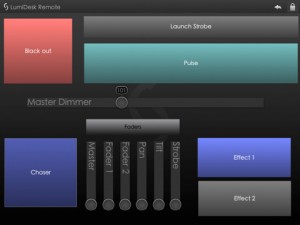 Ok, this one is throwing me off a bit. The OFFICIAL title of the app in the iTunes App Store is Easy Remote, even the icon says Easy Remote. BUT, when you look at the screen shot of the app, it says LumiDesk Remote. Personally, I like the name LumiDesk!So which is it?
NOW, here is what the developer has to say about the app:
This little app allows you to trigger scenes and change faders on a wide range of DMX lighting software.
Umm, really, that is it? Can you give us a little more details. You had me at trigger, but how does it connect? I need a little more then just 19 word description. After visiting the Easy Remote Support page… I am even more confused. The app is developed by Lightingsoft AG, but the website is all about Nicolaudie products, like the STICK Remote and Sunlite Controls.
Wait for it… it gets better. I consider myself pretty tech savey, I can figure this app out, I know DMX, artnet, and networking. It cannot be that hard to hook this thing up to any DMX lighting desk like it says. Well, I failed, but not due to trying, it is the app, not me. All I get is No controller available… and a Refresh and Info button. There is NO WAY to figure this out. Come on, give us a hint. You would think info might hold the key, not true, it listed the copyright info and build date. Well, that was sure fun.
The only thing it has going for it’s self at the moment is it is a free download from the iTunes App Store. If you can figure out how to get this up and running, I would love to hear it. Right now it is just wasting 1.6 mb on my iPad. This app has potential, but it needs a user manual or at least another sentence about HOW it works. Oh, and it only runs on the iPad…?
New iOS App – LightLogic
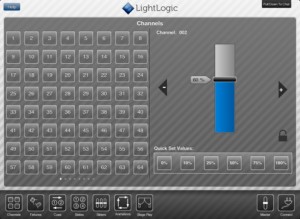 LightLogic is a theatrical lighting control system for iOS designed to work as an independent system. Use custom controls to quickly and easily setup fantastic looking lighting states, manipulate fixtures using purpose-built controls, communicate using the built in text chat and create complex lighting interactions using animations (iPad only).
The system is also designed to allow you to work as a team, instead of on your own. You can connect as many iOS devices running LightLogic to a single server and every device gets to control and manipulate the rig just as well as the rest. Use this feature to get your lights onto the rig, focused and ready to roll in record time.
In order for the system to work, you must have an Enttec DMX USD Pro connected to a Mac running OSX 10.5 or later. For more information or to purchase, ($49.99) the LightLogic App, visit the iTunes App Store.
New iPhone App – ETC Cue Session App
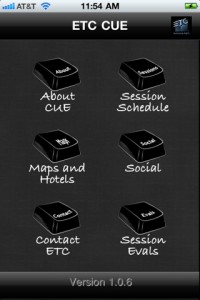 Are you heading to Wisconsin this weekend for ETC’s Cue Sessions? Before you head out the door, make sure to download ETC’s latest iPhone app, ETC CUE.
Here is more about the app:
The CUE App is designed to provide information to the attendees of ETC’s first ever end user conference: CUE. This app contains listings of all sessions and events including: detailed descriptions, session times, locations, and instructor bios. Also included in the app are maps to help you get around downtown Madison. Keep in touch with all the other attendees using the social media section! There is also a survey section that allows you to send feedback to ETC about the sessions. Enjoy the CUE App and we hope to see you in Madison!
The App is a FREE download the the iTunes App Store.
Andrew Derrington Introduces New iOS App; Lighting Calculator
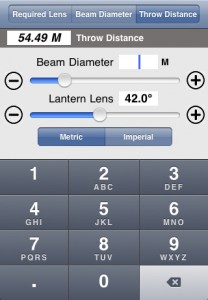 iOS App developer Andrew Derrington is at it again. He has been hard at work on his third lighting app for the iOS platform, Lighting Calculator. Some of his other iOS apps include the Lighting Handbook and the Electrical Formulas app. I know what you are thinking, these apps seem to be the same thing just different titles. You might be wrong there.
Take a look at what the Lighting Calculator app has to offer.
Beam Angle Calculator:
• Required Lens – Provide the distance and desired beam size and the app will tell you what size lens you’l need.
• Beam Diameter – Provide the distance and lens angle and the app will tell you how big a pool of light you’ll have.
•Throw Distance – Provide the beam size and lens angle and the app will tell you how far a throw is required.
Gobo Projection Calculator:
• Image Size – Provide the app with the gobo image size and throw distance, select the lantern your using and it will provide the projected image size.
• Gobo Size -Provide your desired projected Image size and throw distance, select the lantern your going to use and it will provide you with the gobo image size you need. – Handy when designing your gobo’s!
All measurements are available in Metric and Imperial, and more lanterns will be added regularly. In time a database covering over 500 lamps both conventional and moving lights will be added for easy selection and reference.
To learn more about the Lighting Calculator app, visit Andrew’s website at www.aderrington.co.uk. You can pick up a copy of the app from the iTunes App Store for $2.99 USD.
InfoComm 2011 Show Apps
 InfoComm 2011 is right around the corner! It happens this week in Orlando Florida from June 15th through June 17th. I’ll be heading down to InfoComm tomorrow to cover the show for both PLSN and iSquint. If you are in town, find me, we’ll meet up and have a good time… I AM SURE OF IT! Learn more about the InfoComm show by visiting www.infocommshow.org.
InfoComm has released an update to their app for both the iPhone and Android. I am a HUGE supporter of show apps as I don’t have to carry around a show magazine to find a booth I am looking for. Not only does it save space, time and trees, but it is interactive! Here is more about the app for both the iPhone and Android.
InfoComm 2011 will be filled with valuable networking activities and special events that will provide its projected 32,000 attendees with memorable experiences. The world’s largest audiovisual trade show is being held June 11-18, 2011, at the Orange County Convention Center in Orlando, Fla.
“Attending InfoComm’s tradeshow provides AV professionals and their customers a chance to see the latest in applied AV technologies at the biggest marketplace for commercial AV,” said Randal A. Lemke, Ph.D., Executive Director and CEO, InfoComm International. “But it also provides great networking opportunities and a chance to celebrate the resiliency of the industry through challenging times.”
You can download the iPhone app for FREE from the iTunes App Store.
You can download the Android App for FREE from the Android Market Place.
Lightwright Touch App Now On the iPhone With Version 1.2
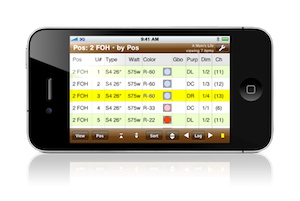 Lightwright Touch version 1.2 is now available, adding iPhone and iPod touch support to the mobile Lightwright worksheet app. All of the functionality of the iPad version has been squeezed into the smaller screen space with minimal sacrifices. Worksheet files exported from Lightwright 5 for iPad can now be viewed, navigated, and edited on iPhone or iPod touch, and changes can be reconciled back into the original Lightwright 5 show file. A dozen new or improved iPad features are also included in the free update. Lightwright Touch requires iOS 4.0 or later, iPhone 3G or later, iPod touch 2nd generation or later, or any iPad. See www.pocketlighting.com for more information.
For $49.99, you can download Lightwright Touch for both the iPhone and iPad be visiting the iTunes App Store.
New iOS App – DMXuLate
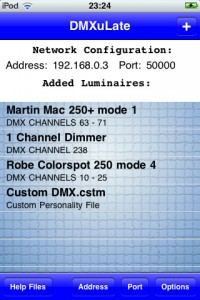 DMXuLate is essentially a wireless DMX remote. It allows for the control of any DMX compatible luminaire(s) completely wirelessly – a very much more affordable and portable alternative to a DMX console!
DMXuLate works by wirelessly sending UDP data containing DMX channel and values. Any wireless router can be used to intercept this data. Help files within the app explain in detail how to convert the data from a router to DMX messages using affordable and open source hardware (a DMX shield and Arduino).
At the heart of the application lies the ‘Personality Files’ folder, which contains personality files that assign correct DMX channel and values to parameters according to luminaire model. Personalities can be created, edited, and deleted. The ‘Custom DMX’ function lets the user assign any DMX channel and value for up to nine buttons and six sliders, and allows for the option to load and save Custom DMX files. DMXuLate comes with extensive help files for how to use the app, how to set up the hardware, and links for Arduino code.
DMXuLate employs a clear and effective graphical user interface to let the user control a host of parameters including:
- Shutter (open / close)
- lamp (on/off)
- Dimmer
- Focus
- Manual Pan / Tilt
- Accelerometer controlled Pan / Tilt
- Colour step picker
- Colour fade
- Prism (on/off/rotation)
- Gobo control
- strobe
For more information or to purchase DMXuLate for $4.99, visit the iTunes App Store.
New Trade Show iOS App – LightFair Int’l
 LightFair 2011 is less then a month away in the city of brotherly love, Philadelphia, PA.
LIGHTFAIR International (LFI) is the world’s largest annual architectural and commercial lighting trade show and conference. LFI has a proven track record of bringing top international and domestic Architectural, Design, Engineering and Lighting professionals together with exhibitors from around the world.
Lightfair has recently announced the release of their iOS app, LIGHTFAIR INT’L. Almost every larger trade show is putting out an app for their event. It make sense! You have the entire show catalog in your pocket rather than having a printed version in your bag or hands. Hey, it saves trees too!
Here is more about the app.
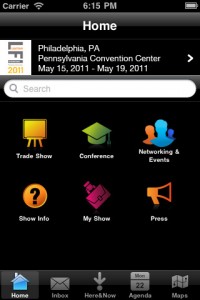
LIGHTFAIR INT’L is the official application of LIGHTFAIR® International (LFI). Use this tool to navigate the show floor, search the exhibitor directory, view networking events, create your own show agenda and review the Conference schedule.
Lightfair 2011 runs from May 15th to May 19th at the Philadelphia Convention Center. Learn more about Lightfair at their website www.lightfair.com. Visit the iTunes App Store to download the LIGHTFAIR INT’L app for FREE.