
Synthe FX Updates Luminair to v2
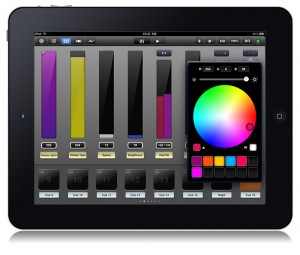 It has been some time since we heard news from Synthe FX. Their latest Press Release tells us why! Here is more from the pr:
Synthe FX is pleased to announce the immediate availability of Luminair for iPad v2, the next generation of the popular touch-based DMX lighting control app for live entertainment, film and TV production, architecture, and for anyone else who works with creative lighting.
Luminair is a full-featured mobile lighting control platform, capable of controlling all DMX compliant gear including LED fixtures, conventional lighting, dimmers, media servers, and more, using any Art-Net or sACN to DMX interface.
v2’s new project architecture was rewritten from the ground up to take full advantage of iCloud, making it the first lighting controller on the market to offer seamless syncing of project files across multiple devices via the cloud. The new version also adds a new layer-based cue merging system, integrated sharing options, undo support, as well as the ability to wirelessly monitor DMX input and output signals on an external HDTV or projector via AirPlay and Apple TV.
Luminair for iPad v2 is available now for purchase and immediate download through the App Store on iPad, or through iTunes on a Mac or PC. v2.0 is a free update for existing Luminair for iPad users.
Luminair for iPad v2 feature highlights:
- iCloud support. Automatically sync Luminair projects, fixtures, images, and other documents between multiple iPads
- AirPlay, HDMI, VGA, component and composite video-out support for displaying DMX input or output levels on an external display or projector
- Integrated sharing options add the ability to send project, fixture, and image files via email and Twitter
- New “merge” cue type allows you to combine and arrange the DMX levels from multiple cues in a layer based hierarchy
- Designate any track as a master, independent of changes between cues
- Undo support for many actions throughout the app
- Over 25 other improvements, bug fixes and more
A brief video detailing the new features in Luminair v2
Luminair v2 is a free update for those that have already purchased the app. If you have not already purchased the app, Luminair runs $99.99 on the iTunes App Store.
Luminair for iPad v1.4 and LCompanion v2.0 Updates Released
 Synthe FX is pleased to announce the availability of Luminair for iPad v1.4 on the iTunes App Store, and LCompanion v2.0 on the Mac App Store.
Luminair for iPad is an advanced DMX lighting control app that transmits DMX using Art-Net and sACN E1.31 protocols over Wi-Fi, for wireless control of lighting fixtures, dimmers, media servers and more. New in version 1.4 is the ability to wirelessly output
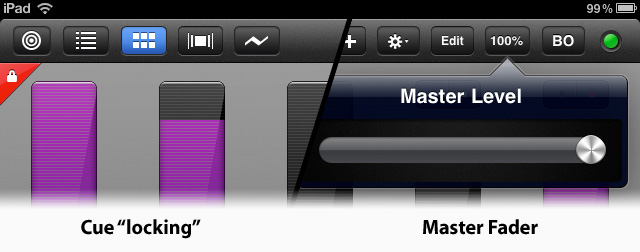
DMX to Enttec DMX USB Pro interfaces connected to a Mac computer running LCompanion v2.0. Also among the new features in version 1.4 are usability enhancements, in the form of a new master fader control, and a new option to “lock” cues to prevent accidental changes to a user’s project.
LCompanion is a free Mac OS X utility app built for users running Luminair on iPad, iPhone and iPod touch. It allows users to create Luminair compatible fixture files, and transfer project, fixture, image, and PDF files back and forth with their iOS devices. New in v2.0 is the ability to receive Art-Net and output DMX through Enttec DMX USB Pro interfaces connected to computers running Mac OS X 10.6.6 or greater. LCompanion is capable of receiving Art-Net DMX from Luminair on iOS, or any other Art-Net control source.
New in Luminair for iPad v1.4
- Now supports Enttec DMX USB Pro devices connected to a Mac running LCompanion v2.0 (available on Mac App Store)
- Added a new “lock” option for cues – Added a global master DMX output fader control
- Added support for downloading & restoring .zip archives of all Luminair files in file transfer mode
- Various other bug fixes and enhancements
New in LCompanion v2.0
- Adds native support for receiving Art-Net and outputting DMX via Enttec DMX USB Pro interfaces
- Simplified Luminair fixture profile creation
- Archive and restore options by right clicking device name (Luminair iPad v1.4+ ) – Adds support for changing selected channel with arrow keys in the fixture profile creator – Adds support for cycling through selected channel types with ‘T’ key on keyboard
- Various other bug fixes and enhancements
Learn more about Luminair and LCompanion from Synthe FX by visiting their website at www.synthe-fx.com. You can get your update or new version of Luminair for iPad on the iTunes app Store and LCompanion from the Mac App Store.
Synthe FX Release New iPad & iPhone iOS App and LCompanion Software
Synthe FX has been hard at work these past couple of months. First updating the iPhone app of Luminair and then releasing Luminair for the iPad. Now with the release of the Mac App Store, Synthe FX has been working over time to bring even more updates to the iOS apps along with the LCompanion software for transferring and updating files for the iOS apps. Here is more from Synthe FX.
Synthe FX has announced the release of Luminair for iPad v1.2, which adds new features such as support for external MIDI control over Wi-Fi networks, as well as support for direct transfers of PDF paperwork from Cast Software’s WYSIWYG R26.
Expanding on the new external MIDI, MSC and OSC remote features recently added in v1.1, Luminair for iPad v1.2 adds the ability to use RTP MIDI over a Wi-Fi network, for wireless control from any MIDI control source connected to a Mac, PC or other compatible equipment. Luminair’s use of the CoreMIDI framework found in iOS provides low latency over a Wi-Fi network.
Version 1.2 also adds support for the latest version of Cast Software’s WYSIWYG lighting pre-visualization software, which was recently updated to R26. WYSIWYG R26 adds the ability to directly transfer PDF paperwork to Luminair running on an iPad, iPhone or iPod touch. Luminair provides a customized interface for browsing these paperwork files, making it easy for users to quickly reference important information without closing the app.
Luminair for iPhone was also recently updated to v2.2, which adds an “in-app” PDF reader, as well as the WYSIWYG PDF paperwork transfer features found in Luminair for iPad. Users can now transfer and open any PDF file in Luminair for iPhone.
Additionally, Synthe FX has announced the release of LCompanion v1.0, available in Apple’s new Mac App Store. LCompanion is a free Mac OS X app that allows Luminair users to both build and save custom fixtures profiles, as well as transfer project, fixture, image, and PDF files back and forth from a Mac to an iPad, iPhone, and iPod touch device.
Luminair for the iPad brand new is $129.99 USD. Luminair for the iPhone/iPod Touch new purchase price of $99.99 USD. Now, if you own either iOS app, the new update to either app is FREE from the iTunes App Store. You can learn more about all the new updates by visiting Synthe FX web site at www.synthe-fx.com.
Luminair for iPad v1.1 adds support for MIDI, OSC, and sACN E1.31
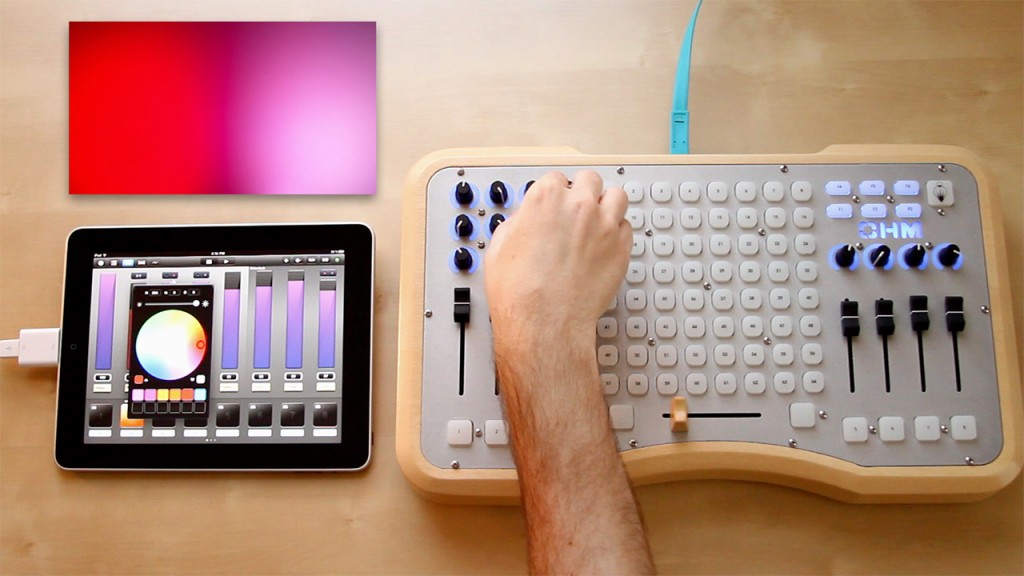
That rights everyone… iOS 4.2 is OUT!!! I have been waiting for this for soooo long it is not funny. I think Synthe FX, the developers of Luminair for the iPad/iPhone have been waiting even longer. Here is the latest from Synthe FX and Luminair.
Luminair for iPad has received it’s first major update, which adds support for external MIDI control, OSC (Open Sound Control) protocol, as well as the ability to send DMX over Wi-Fi via the sACN E1.31 protocol.
With external MIDI input, Luminair users can now turn any MIDI controller into an advanced lighting console. With features like easy MIDI learn and full mapping capabilities, users can assign external controls to faders, cue buttons, playback controls and much more. Luminair is compatible with CoreMIDI via Apple’s USB iPad Camera connection Kit, as well as Line 6’s MIDI Mobilizer dock accessory for iOS devices. Alongside the new MIDI features, is the ability to add MIDI Show Control support to Luminair, via an In-App purchase.
Adding support for the OSC (Open Sound Control) protocol opens up an endless number of ways to interact with Luminair. Users now have the ability to create custom user interfaces for controlling Luminair on additional iOS devices, and using other remotes and sensors through the OSC protocol. Multiple remotes can also all be connected at the same time, allowing a team of users to work together in lighting designs and shows.
Users also now have the option of outputting DMX over Wi-Fi using E1.31 (sACN), which is a network based protocol developed by the ESTA Control Protocols Working Group. sACN E1.31 is a great addition to Luminair’s Art-Net support, and makes Luminair compatible with the next generation of network enabled DMX interfaces and lighting consoles.
Notable new features included in Luminair for iPad v1.1:
- iOS 4.2 multitasking support
- Support for sACN E1.31 DMX output over Wi-Fi
- MIDI input w/ full learning and mapping capabilities. Supports Apple’s iPad USB Camera Connection Kit and Line 6’s MIDI Mobilizer dock accessory.
- OSC input as a remote control for most app functions (use custom apps like TouchOSC on iOS devices, WiiMotes and other controllers through OSCulator, etc.)
- Art-Net node detection and unicasting support
- A new built-in shop for In-App purchases
- MIDI Show Control (*In-App Purchase)
- Password protected CoverFlow view option
Synthe FX has also updated Luminair for iPhone to v2.1, with support for the sACN E1.31 protocol, plus an enhanced Art-Net implementation, and iOS4.2 compatibility. Both updates are available now and free for existing users.
Review: Luminair for iPad
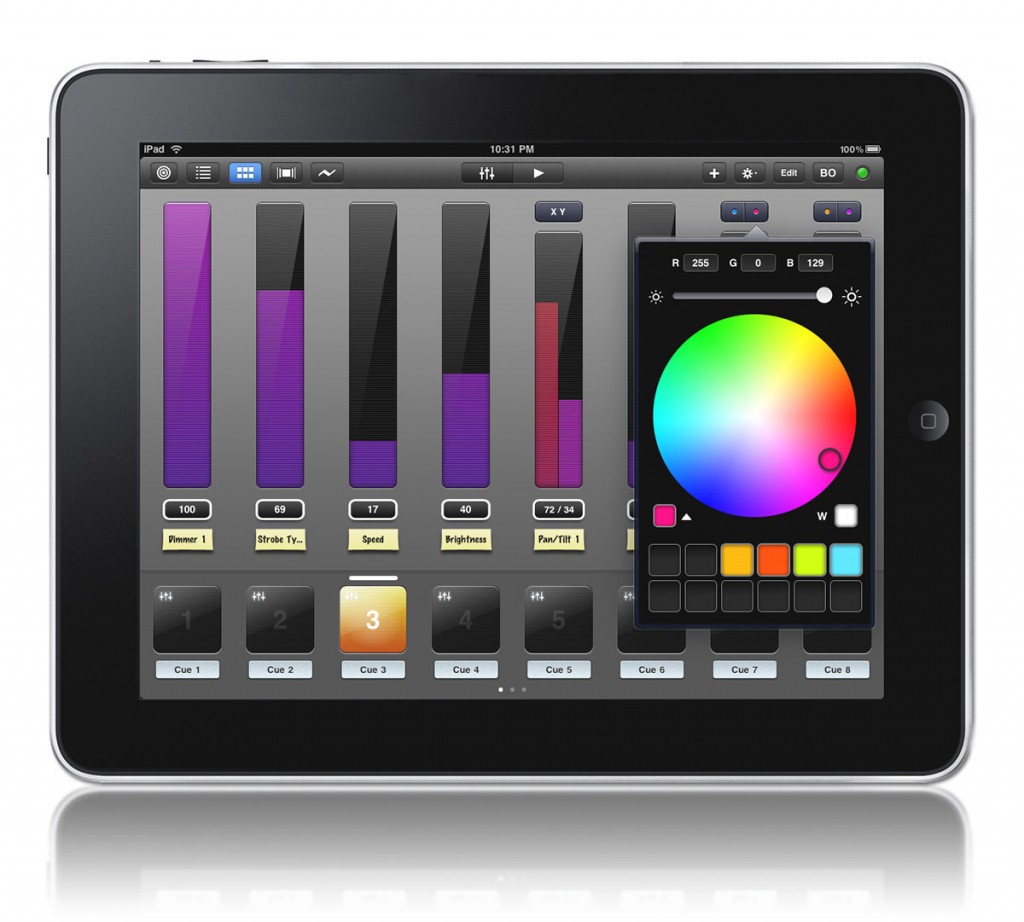
When rumors of the Apple iPad started to become serious and it came to realization, everyone went crazy with excitement. One company in our industry, Synthe FX, also became excited about the idea of the iPad and started making big plans. Synthe FX is the developer of the “lighting desk in your pocket,” or Luminair, the iPhone app. Synthe FX expanded on the original design of the iPhone app and developed a version of the popular iPhone app that runs natively on the iPad, Luminair for iPad. With the iPads larger display, about the size of four iPhones or 1024 x 768 pixel viewable area, Synth FX added several new and exciting features to the iPad version. Seventy-five percent of Luminair for iPad was completely rewritten from scratch for the larger display and to give live events and performance greater control.
Capabilities
Since Luminair for iPad runs on the iPad, a pretty portable device, you can take your console with you as you move throughout the location. The design of Luminair for iPad allows you to run your entire show wirelessly and operate as a remote focus unit, or almost anything other use for a DMX console. Setting up and using Luminair for iPad to control a lighting rig is fairly simple. With a little bit of knowledge of wireless networking and how Art-Net functions, getting up and running can be a snap.
After you have purchased your iPad and your very own copy of Luminair for iPad, you still need a bit of third party hardware in order for the app to talk to you rig. First thing you will need is a wireless access point or router to connect the iPad with your console to send DMX signal out of Luminair for iPad. From there we need a way to translate the Art-Net, which is the protocol for sending DMX over UDP/IP networking to DMX signal to the rig. There are a ton of devices out on the market that translate Art-Net to DMX. One device that is relatively inexpensive and work well in this situation is the Enttec ODE or Open DMX Ethernet device. But as I mentioned, there are quite a few DMX nodes or devices out on the market that can translate Art-Net to DMX.
My goal here is not a step by step installation and setup guide, but to give an overall view of Luminair for iPad. I, myself, used the above mentioned wireless access point and Enttec ODE for the review and found set up straightforward and simple. If you find yourself in trouble, Synthe FX makes a step by step guide on how to connect your network available on their website.
Layout
After setting up Luminair for iPad and all of the network devices and of course my rig, it was time to get playing with Luminair. If you are familiar with the iPhone version of Luminair, then Luminair for iPad will come to you easily (only on a bigger display).
With the multi-touch ability that the iPad offers, Synthe FX took total advantage of this interface control to offer the user what seems awkward at first only because we are used to single point interface with computers. The multi-touch control and input type becomes pretty easy to understand and use if you have ever had to run multiple sliders on a desk at once. Combine Luminair for iPad’s multi-touch control and user interface with controlling and playing with fixtures and recalling cues becomes natural.
[singlepic id=1070 w=320 h=240 float=left]It’s important to know that Luminair for iPad handles any type of device. Synthe FX handles devices a little bit differently than a typical lighting controller. Even though there is a similarity of a slider from 0% to 100% or in true DMX signal 0 to 255, Synthe FX labels these as tracks in Luminair for iPad. Tracks consist of set of parameters: parameter by intensity, RGB mixing or XY coordinates, (pan & tilt), and a single track handles those parameters. Here is where a curve ball is thrown in. Luminair for iPad offers the ability to patch a device from a template or fixture profile in the app, similar to how we select a device profile in most modern lighting desks. Now, most modern lighting desks handle a device with either a single fixture ID or channel number. But, Luminair for iPad functions a little differently. For a single device, the different sets of parameters are broken down into individual tracks with the associated parameter labeled at the bottom. So for a 23 parameter device like a Mac 700 Profile, you will have 8 different tracks, or “sliders” to operate that one device. This may become a little bit of a problem when you start patching 2 or more high parameter count fixtures because some horizontal sliding across tracks will be required.
Now that we have an understanding of how Luminair for iPad handles devices with tracks, the next important step in any lighting controller, is setting up our patch. Again, Luminair for iPad handles this in a unique way. After you have selected which fixture type or parameter you want the new track to control, you have to assign that track to a specific DMX address for each parameter. Rather then using the common syntax of 1 @ 1 or Address 1 at Channel 1, you get a display of the DMX address available on the single universe of DMX that you are using. Simply selecting the correct DMX address will patch that track to that address.
[singlepic id=1085 w=320 h=240 float=left]But there are more options and functions available within patch or channels display within Luminair for iPad. Lets take a closer look at patching a simple and generic RGB mixing device. Say we want to patch a track starting at address 1. We have the RGB device addressed at 1 as well. As we all know, that simple and generic RGB mixer take 3 DMX address to function, so we have to patch them within Luminair for iPad as so. Starting off with address one, after selecting it, the box turns to red and has an “r” in it representing that the Red is patched there. Then to patch Green we would simply select 2, it turns red, but we need green! Select 2 again and the box turns green with a small “g” in the box. Great, Green is patched. We do the same for Blue by selecting address 3 and select it until it turns Blue with a b in the box. Done! Our simple generic RGB mixer is ready to operate!
[singlepic id=1081 w=320 h=240 float=left]Let’s look even closer at the individual tracks for an RGB or CMY mixing device. The main control of the track, what I am calling the slider, is the intensity control of the fixture. With Luminair for iPad, Synthe FX added some features under the track controls and the color wheel picker. You are still able to choose any color from the color wheel, along with saving that color to what we might call a color palette or color preset for quick recall of that color across color mixing devices.
A new feature added to Luminair for iPad from the iPhone version is Groups. I mentioned that your control screen may get filled up with tracks pretty quick. Luminair for iPad offers the ability to group like devices or any tracks that you want to control into one group. Rather than having 10 individual tracks or patching all 10 dimmers into one track that controls my front of house wash, I can keep my 10 individual tracks for separate control and make a new group that controls them all together. This also frees up some space in the control section in the app while still offering the 10 individual tracks for control.
All of this control is great, but what about playback? Luminair for iPad wouldn’t be much of a lighting controller with out the ability to playback looks or cues that we have created within the app. Just like the iPhone version, Luminair offers the ability to record cues or looks and have them playback just like we would expect a traditional lighting desk to with fade times. Just like a typical desk, cues can be arranged into stacks for traditional playback or for chase effects, the possibilities are limited only to your imagination.
With the release of Luminair 2.0 for the iPhone earlier this year, Synthe FX worked closely with Cast Software to integrate some controls and function between Luminair and WYSIWYG. Luminair 2.0 added the ability to see your cues in a cover flow display. With integration from WYSIWYG release 25, you can take a snap shot of your rendering and import that image into Luminair and attach that to a cue. So in cover flow view, you can horizontally swipe through your images of cues and execute them right there. Synthe FX included that function in Luminair for iPad.
[singlepic id=1076 w=320 h=240 float=left]Another feature that has been added to Luminair for iPad is the ability to view and capture incoming DMX from a single universe of DMX values from another control device on the network. From the controls view, you can bring up the DMX input view and see what each address on the universe of DMX is outputting. Synthe FX took it a step further and added the ability to record the incoming DMX signal as a cue for replay right from the app. Just add another use for Luminair for iPad, a full back-up console to your rig!
[singlepic id=1073 w=320 h=240 float=left]What about saving shows, something that is MOST important in any programmer’s view. Since the introduction of Luminair for the iPhone and now for the iPad, Synthe FX has made it possible to open and save show files on your device within the app. Even though Apple does not offer a file system for saving and storing files like we are use to either on a Mac or PC. Luminair for iPad offers the ability to save different shows files right on the iPad. Synthe FX also included a simple web server access to Luminair so you can connect to the app via any computer with a browser to connect and transfer files back and forth. This makes backing up and saving show files quick and easy.
Wrap Up
There are some things that seems to be lacking in my eyes with Luminair for iPad, specifically when dealing in gobos and color wheels parameters of devices on a track. Likewise, any indexing wheel track on Luminair for iPad doesn’t offer any additional options or graphics when choosing an index on a wheel. As a result, we still left have to bring the slider to a specific level so the wheel moves to the appropriate level. Not a deal breaker by any means, but maybe a future update for Luminair for iPad?
There is nothing like Luminair for iPad on the market. There are, of course, similar apps for both the iPad, iPhone and iPod Touch, but nothing comes close to being a fully functional lighting console on any of our favorite Apple portable products. Overall, Synthe FX put a huge amount of time and effort into developing Luminair for iPad and it really shows. Configuration and setup are a breeze. Bringing tracks to a level and recording cues are simple. Synthe FX makes an interesting point when explaining the ease and use of Luminair for iPad, building and playing back shows is as easy as creating an iTunes playlist. Not a bad explanation! Synthe FX even included a sleep override function into the app. Rather than having the iPad “go to sleep” and lose the connection to your network, Synthe FX added a simple override function to the app settings that keeps the app and iPad active while you are programming or playing back a show. Simple things like that make Luminair for iPad stand out and show the lighting industry that yes, there really is an app for that!
To learn more about Luminair for iPad, visit Synthe FX web site at www.synthe-fx.com. To pick up a copy of Luminair for iPad, visit the iTunes App Store for $129.99.
Your Thoughts
What did you think of the review? Do you have Luminair for the iPad, did I miss something? Leave your thoughs in the comment section of this review, I would love to hear what you think.
[nggallery id=60]
Synthe FX Announces Luminair for the iPad Available on iTunes
You have heard the rumors, you have seen the pre-release announcements, it is finally here, Luminair for the iPad has hit the App store on iTunes! After months of development, Synthe FX, the developers of Luminair for the iPhone are proud to announce that you now have a lighting desk on your multi-touch device, the iPad.
Here is more from the official Press Release:
Synthe FX has announced the immediate release of Luminair for iPad, it’s new desktop-class multi-touch DMX lighting control app for Apple’s iPad. Luminair uses the Art-Net protocol to transmit DMX data over Wi-Fi, giving users wireless control of colormixable LED fixtures, dimmers, studio lighting, moving lights, media servers, and any other DMX enabled equipment.
Luminair for iPad is a giant leap forward from it’s related iPhone version, and includes new features like instantly editable quick-touch cues, project-based draggable color swatches, popup contextual controls, external keyboard support, and a user-configurable UI. It’s also built for future expansion, which means users can expect the same rapid feature updates that Luminair for iPhone customers have received for the past two years.
When paired with a compatible Art-Net to DMX interface, Luminair for iPad has a low overall price that makes it a lighting console which almost anyone can afford, and use in a multitude of ways. Whether it’s used for architectural lighting, theatrical and musical venues, by educators, or by cutting-edge visual artist’s and VJ’s, the possibilities are infinite.
Luminair for iPad can be purchased and downloaded directly from the iTunes App Store immediately for $129.99. Full details and product videos are available at: http://synthe-fx.com.
Synthe FX Lifts the Lid on Luminair for the iPad
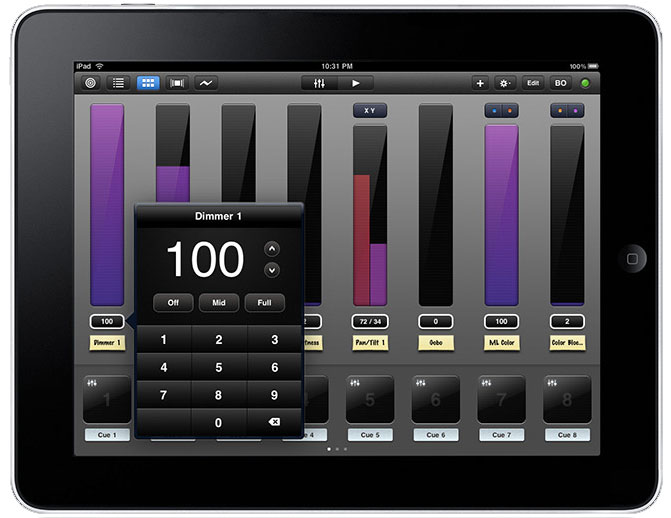
After months of speculation leading up to the announcement of the Apple iPad and then finally the release of the iPad to the gen pop, the lighting industry and iPhone lovers have been craving something special for the iPad to control our rigs. Since the announcement of the iPad, Synthe FX, the iPhone app developer of the Luminair app has been dropping hits about their plans and release for Luminair as a native app on the iPad.
I have heard from a pretty reliable source that the iPad version of Luminar is finishing up it’s beta testing and is getting ready to hit the App Store in the near future. Just last night, Synthe FX updated their web site with a TON of details and a short preview video to hold us over until the iPad app hits the store. Here is a quick run down of some of the features exclusive to the iPad version of Luminair.
- Fully editable cues
- User-configurable UI
- Project based touch-draggable color swatches
- Pop-up contextual controls
- External keyboard support
- UI and performance enhancements that make it geared for live performance
- External project file importing via email and downloading in Safari
- PDF support for importing user manuals and other documents for displaying right in the app
- Built for future expansion
Pricing has not been released on the iPad version of the Luminair app. To lern more about the upcoming app, visit www.synthe-fx.com.
Luminair V2.0 Released and Available in iTunes
 All week long, iSquint and Synthe FX have been having a Luminair version 2.0 Release Party and Contest all leading up to Luminair V2.0 being released into the iTunes App Store. Guess what, Luminair Version 2.0 was just added! But what is Luminair? Here is a brief description from Synthe FX.
Luminair is revolutionary DMX lighting control software that allows users to wirelessly control lighting fixtures, dimmers, consoles, and media servers all via a Wi-Fi connection. Luminair works by transmitting and receiving DMX data using the Art-Net protocol, so it’s compatible out of the box with lots of existing equipment on the market. It works great for controlling color-mixable LED fixtures, studio lighting, moving lights, and any other DMX enabled equipment. Use Luminair as the ultimate remote focus tool, for advanced architectural lighting, or simply as the centerpiece of your DMX lighting rig.
Did I mention that Luminair works on your iPhone or iPod Touch? That’s right, it is an app design specifically for the iPhone and iPod Touch! So you have control of your lighting system right in your pocket! Here are some of the features of Luminair.
- Multi-touch Optimized
- Stacks (or cue list)
- Input Analyzing & Recording
- WYSIWYG Support
- File Management
- and much more.
So what are you waiting for? If you have an iPhone or iPod Touch, visit the iTunes App Store and Purchase your copy of Luminair V2.0 for $99. For existing owners of Luminair V1.5, V2.0 is a FREE upgrade! To learn more about Synthe FX Luminair iPhone App, visit their website at www.synthe-fx.com.
Luminair Version 2.0 Release Party and Contest
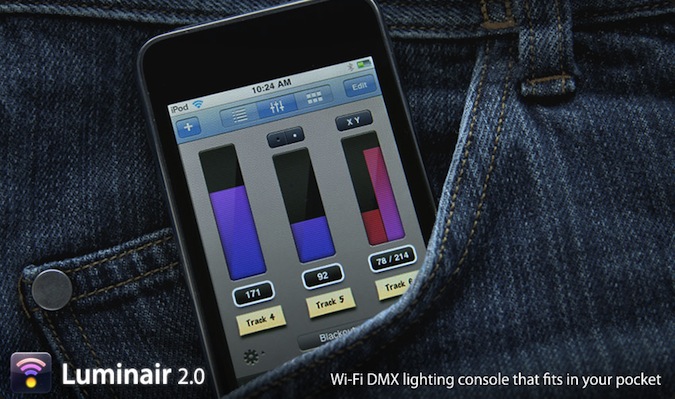
With the upcoming release of Luminair Version 2.0, Synthe FX and iSquint.net have teamed up to have a Release Party and Contest right here on iSquint. If you didn’t know, Luminair is the first lighting console that fits in your pocket. Which brings up the question… is that a Lighting console in your pocket or are you happy to see me? But really, Lumniair is a fully functional lighting console that works on your iPhone and iPod Touch over Wi-Fi.
Synthe FX has just announced the release of Luminair version 2.0. V2.0 brings a ton of new updates and functionality to the console in your pocket with Stacks, which is a cue-list playback system, integration with Cast Software’s next version of WYSIWYG, R25 and Fixture POV, as well as groups, cut/copy and paste functions to name a few.
In anticipation of Luminair V2 being released in the iTunes App Store, Synthe FX and iSquint are holding a week long release party and contest here on iSquint. Each day this week, we will be selecting one winner at 5pm EST that will win a $15 dollar iTunes gift card. Fridays grand prize winner will be receiving at $50 iTunes gift card from Synthe FX. The iTunes gift cards can be redeemed to purchase anything from the iTunes store, Music, Movies, TV Shows and yes, it can even go towards your purchase of Luminair, V2.0 once it is released.
How do I join in on the Release Party and Contest to win? Simple, add a comment to this contest page with your name, email address, (which will NOT be public or sold) and a comment, that’s it! One entry enters you for the entire week so enter soon for more chances to win. Entries are limited to US residence due to iTunes restrictions, Sorry.
Luminair V2.0 is a free upgrade for current owners of the software and will be available as a free download from the iTunes App Store. New users can purchase a copy of Luminair for $99 USD. To learn more about Luminair and Synthe FX, Visit their website at www.synthe-fx.com.
UPDATE:
Listed below are the daily winners of the Synthe FX and iSquint Luminair Release Part and Contest. Remeber, one entry gets you in for all week long. If you didn’t win today, you still have the rest of the week fora chance to win!
- Monday – John Hathcock
- Tuesday – Todd Proffitt
- Wednesday – Julie Shelton
- Thursday – Nathan A.
- Friday and the GRAND PRIZE WINNER – Tim Nielson
Thank you to everyone that entered as well as for reading iSquint. I would also like to thank Synthe FX for having the Luminair v2.0 Release party and contest here on iSquint. You guys rock!
Synthe FX Release Pixelnode for Quartz Composer
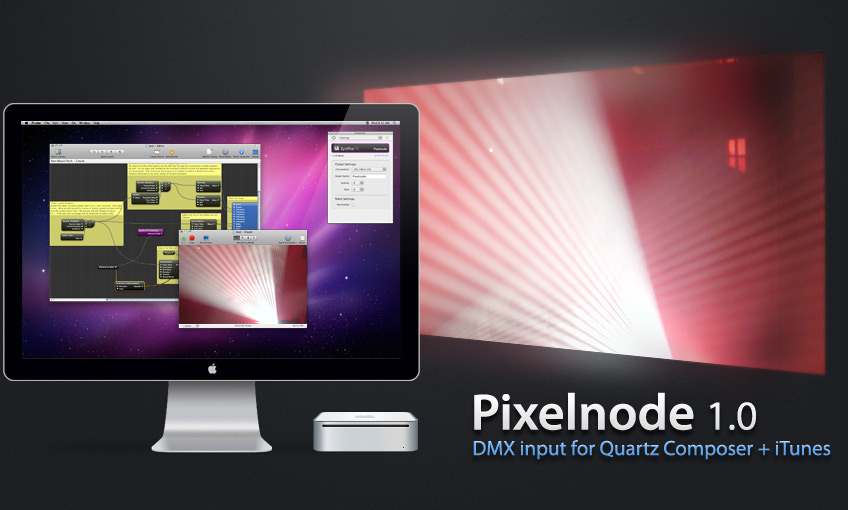
Synthe FX, the company that brought you the first lighting controller on your iPhone and iPod Touch has just announced the release of their latest software for the Mac, Pixelnode. Here is more from the Press Release.
Pixelnode is a plug-in that allows lighting and multimedia designers to turn Quartz Composer into a powerful live media-server that’s controllable via DMX lighting consoles. Quartz Composer is an application for Mac OS X that provides a visual programming environment geared towards live-performance and installations.
Pixelnode uses the Art-Net protocol to give users access to one universe of DMX data, directly from a Quartz Composer patch. This makes it instantly compatible with tons of existing hardware and software on the market.
Users of Pixelnode can create highly interactive visual multimedia and graphics that can be controlled by most leading lighting consoles. Another interesting feature is the ability to create interactive iTunes visualizers that can react to both audio and DMX.
Synthe FX is offering Pixelnode as a free download, in the same spirit that Apple provides Quartz Composer and it’s associated MIDI and OSC plug-ins for free.
For full information and download links for Pixelnode 1.0, visit the Synthe FX web site at www.synthe-fx.com
Review: Synthe FX iPhone App, Luminair Version 1.5

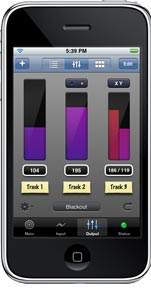 We recently wrote about the arrival of an update and release of Synthe FX’s lighting control iPhone app, Luminair. Over the last month we have been following Synthe FX progress on releasing the update version 1.5 of Luminair. Luminair allows you to control, view and manage intelligent DMX lighting fixtures and consoles, straight from your iPhone or iPod Touch. Using Artistic License’s Art-Net protocol (DMX over ethernet), along with your device’s built-in Wi-Fi connection, Luminair can either control lighting equipment through it’s virtual touch-mixer and innovative channel
assignment board interface, or analyze incoming data packets in realtime.
With the touch of a finger, lighting control data is sent through the airwaves, allowing you to be unchained from the lighting desk or the closest patch-bay. Both projects and fixtures can be saved and restored at any time, making Luminair an indispensable tool for configuring intelligent lighting networks for one or more locations.
The kinds folks over at Synthe FX we able to provide a demo version of the updated version 1.5 for iSquint to do a review. Click read more link to read the entire review.
Luminair iPhone App Version 1.5 Released
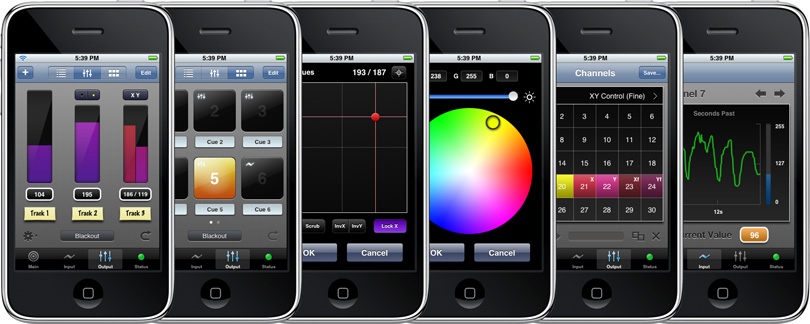
We have been following Synthe FX, the developer of Luminair over the past couple of weeks here at iSquint. We just received the official word, Luminair lighting control iPhone App version 1.5 is released and ready for purchase and download on iTunes. Luminair enables you to wirelessly control, view, record and manage intelligent DMX lighting fixtures, consoles, media servers and other software directly from your iPhone™ or iPod™ touch. Using Artistic License’s Art-Net protocol over your device’s built-in Wi-Fi connection, Luminair communicates with other compatible hardware and software nodes on your network. A gorgeous user interface provides desktop-calibre features and performance, all on a mobile platform. Use Luminair as the ultimate remote focus tool, for advanced architectural lighting, or simply as the centerpiece of your intelligent lighting rig.
More from the Press Release:
Synthe FX has announced the immediate availability of Luminair 1.5 for iPhone™ and iPod® touch. This new version adds over 20 new major features and enhancements which make Luminair the ultimate wireless DMX tool for lighting professionals. Luminair allows users to control, view and manage intelligent DMX lighting fixtures and consoles, directly from an iPhone or iPod touch using the Art-Net protocol over a Wi-Fi connection. It can be used for a wide variety of tasks such as the ultimate remote focus tool, for advanced architectural lighting, by lighting technicians bench-testing fixtures, controlling intensities on set, or simply as the centerpiece of an intelligent lighting rig.
New in version 1.5, users can now create Quick-Touch cues, which provide easy touch based scene triggering. Each Quick-Touch cue has an individual fade time, which can smoothly and seamlessly transition from any currently running fade. Cues are enabled and disabled via large touch-trigger buttons, and arranged in sheets of six at a time. In addition, tracks can be reloaded and edited from each cue for further manipulation via Luminair’s output control tools such as channel faders, color changers, and 16-bit XY controls.
Another major new feature in version 1.5 is the ability to record snapshots of DMX data directly from Luminair’s Art-Net input port. This makes Luminair a great tool for backing up cues from a console or any other DMX source. By storing this data in a Quick-Touch cue, user’s can easily recall scenes from their main console, and even have individual fades between each one.
Other new features include an improved color-picker, improved CMY support, individual blackout and solo controls for each track, a new factory fixture preset library, plus many more. Like all previous updates, this new version also brings performance enhancements and other bug fixes, and is a free update for current users. Also included is a 10% off coupon with Luminair, good towards Enttec’s ODE Art-Net to DMX converters and related accessories, and valid worldwide via Enttec’s online store until June 30, 2009.
“Luminair was the first, and currently still is, the only true native DMX controller for the iPhone and iPod touch”, says company founder Ryan Hisey. “We have made a tremendous effort in bringing these capabilities to the iPhone platform, and in these first eight months the customer response has been phenomenal. Customers worldwide are using Luminair in a wide variety of markets, from theatre and stage, to architectural and studio. The new additions in 1.5 will make it an even more attractive product to a wider variety of users. The fact that there are so many different ways to either integrate Luminair with existing systems, or just use on it’s own, make the possibilities for use almost endless.”