
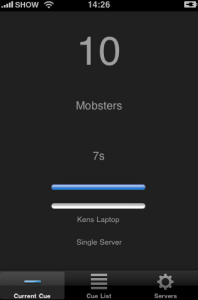
 Doing some internet research last night, we stumbled upon a new iPhone app called What Cue Client from Hard Edge Software. What Cue Client is an iPhone app that connects with a lighting network and console to relay the current cue, cue description and timing information from the desk to your iPhone.
Well that got us interested really quick. It always happens during previews that you are sitting in the house “naked” with out any console information during the preview. We can take out our iPhone or iPod Touch and quickly tell where we are on the console with out disturbing everyone around us other then the rudeness of turning on a portable device during a performance. But hey, it’s for the good of the show right!
Doing some more digging on the What Cue Client app, we found that a little more setup and configuration is required to get up and running with What Cue Client. Not only do you need a Wireless Access Point on the Lighting Network, you need a Mac computer running OSX connected to the network, and a USB to MIDI converter to connect the Mac to the Lighting Console via MIDI since What Cue Server that is running on the Mac uses MIDI Time Code Show Control to communicate with the Lighting Console.
While it seems like just a little bit of a setup and configuration process, it just might be worth while for you designer and team to keep track of a show in progress. What Cue Client is a free iPhone app download from the iTunes App Store. But in order to use it, you need to purchase a copy of What Cue Server from Hard Edge Software for less then $100 USD. Visit Hard Edge Software’s website at www.hardedgesoftware.com.