
New iPhone App: ShowTool LD
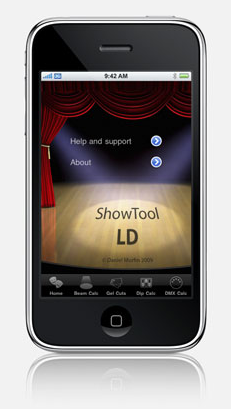 We just read over at JimOnLight.com about a new iPhone app for Lighting Designers called ShowTool LD by Daniel Murfin. ShowTool LD packs 4 applications into one, dispswitch calculator, DMX calculator, gel calculator and a beam calculator. All of this for only $3.99 through the iTunes App Store.
What is nice about ShowTool LD is first, 4 individual apps that are currently available through iTunes have been rolled into one application. Next of course is the price. Buying the four individual apps through iTunes can cost up to $7.97. Then there is the fact that you have four individual applications to keep track. and of course, only one of those apps can be open at one time.
JimOnLight.com has six free versions to give out in a contest. We recommend high tailing it over to JimOnLight’s post about the ShowTool LD to win a free copy.
More information about Daniel Murfin’s ShowTool LD iPhone app can be found on his website at http://www.dsmurfin.co.uk.
Zinman Software Introduces ML Finder Pro for iPhone
Zinman Software, the makers of other great iPhone lighting apps such as Pocket LD, GelCalc and iSwitch has just announced the release of their latest iPhone app, ML Finder. The app is actually avilable in two versions, the ML Finder Pro for $39.99 and a “lite” version Ml Finder for free and both avilable from the iTunes App Store.
ML Finder PRO is a complete list of parameters and channel assignments for over 500 lights, LEDs and media servers. For the tech addressing a light plot, a designer determining the functionality of a moving light, or a programmer building a profile for their lighting console. This information is nicely integrated into one app.
Key Features:
• Over 500 devices included in the database
• Search by Maker & Model using the search & scroll bars
• Explore color, gobo and FX systems for each device
• View ranges (DMX values for a parameter)
• Know how many channels each device uses; in any mode
• Discover the channels and values to Shutdown, Reset, Lamp Off and Lamp On devices
• Easily identify 8bit & 16bit parameters
• Filter & display the type of parameters that you’re looking for
• Free Upgrades
Visit www.zinmansoftware.com to learn more about Ml Finder iPhone app or any of the other iPhone apps from Zinman Software.
Wybron Releases New iPhone App: Moiré Gobo Library
 We reported a week or so ago that Wybron was on the verge of announcing a new iPhone app. The rumors are true, earlier this week, Wybron announced the release of their latest iPhone App, Moiré Gobo Library. More information from the official Press Release:
A new iPhone application by Wybron packs more than 1,500 gobos into a sleek device that fits in the user’s pocket. The Moiré Gobo Library lets users browse, search, and experiment with A-size gobos from GAM and Lee, with more to come. Adjust the focus of the gobo to simulate a blur effect, spin the gobo at different speeds and in different directions, and use the “TwinSpin” feature to overlap and spin any two gobos at variable speeds and in any direction.
The Moiré Gobo Library, which also works on the iPod touch, lets the user:
- View gobos on a white or black background, simulating the look of the gobo itself or the image it produces on a dark stage
- Search gobos by name and number
- Sort gobos by name and number in ascending and descending order
- Maintain a list of 12 most recently viewed gobos
- Send comments directly to the developer with a feedback button
The idea for the Moiré Gobo Library came, in part, from the suggestions of customers using Wybron’s Gel Swatch Library, which features nearly 1,000 gel colors. The Gel Swatch Library was recently named one of Live Design magazine’s Products of the Year for 2008-09. It took home an ESTA Member’s Choice Award from LDI in October 2008.
“With our new app, you don’t have to buy dozens of different gobos and load them into a fixture to see how they’ll look,” said Scott Longberry, Wybron engineer and developer of the application. “Just turn on your iPhone or iPod touch, and you can play with hundreds of different gobos to see what happens if you overlap them, blur them, spin them – or whatever effect you want.” The app should be useful for a wide variety of lighting venues, including nightclubs, concerts, theatres, churches, cruise ships, and more, Longberry said.
To buy the Moiré Gobo Library for $9.99, visit Apple’s App Store through the icon on the iPhone or iPod touch, or go through iTunes.
Photos of the Moire Gobo Library App:
[nggallery id=5]
Synthe FX Set to Release Luminair 1.5

We love lighting control here at iSquint. We love it even more when it involves our favorite little product from Apple, the iPhone. We have been watching Synthe FX, the developers of the iPhone and iPod Touch DMX lighting control app, Luminair. Think of having a control console in the palm of your hand with out the need for cables. Luminair works over wireless networking to control, view and manage your lighting fixtures. It uses the Art-Net protocol to communicate with compatible hardware on your lighting network. Luminair is able to control a complete universe of DMX512.
While recently reviewing our twitter feed, we noticed a new follower, @synthefx, the developers of Luminair. Synthe FX created the new twitter feed to release updates on the next version of Luminair 1.5. Synthe FX also has a promotion running through their twitter feed. Follow Synthe FX via twitter up until the release of Luminair 1.5 and on the day of the release, Synth FX will select w winner at random from their list of followers. The winner will receive a copy of the upcoming version of Luminair, 1.5 as well as 10% off on the Enttec ODE.
We have heard through reliable sources that some of the new features in Luminair 1.5 include Quick-Touch cues for easy touch based triggering of cues, the ability to record Art-Net input port data directly to a quick-touch cue. This could be useful when recording values from a console or any or DMX source.
Price for the current version of Luminair (1.1) is $99.99 and is avilable through iTunes. For more information on Luminair control software, visit Synthe FX website at www.synthe-fx.com.
ETC iRFR iPhone App – Update
 We wrote yesterday about ETC demonstrating one of their latest products on the show floor of the USITT Stge Expo, the iPhone iRFR app. We were able to get a few more images of the iRFR in action as well as a bit more information. One of our readers, robinsta, talked with ETC reps in the booth and was able to get a price on the new app at $ 49.95. Compared to some apps in the iTunes library, this may seem a little high, but with the features this app provides it will be well worth the money. Then of course there is the fact that either all or portion of the proceeds goes to Behind the Scenes and Light Relief, makes it even more appealing.
We are still waiting to hear when the iRFR app will be ready for download from the iTunes store. At the time of this writing, it has not been added. We also have to wait for the latest version of the Eos/Ion operating system upgrade to be released from ETC in order for the iRFR app to work in conjunction with the consoles.
We have added a couple more screen shots of the iRFR iPhone app in action to the 2009 USITT Photo Gallery.
ETC Demo’s The iRFR iPhone App
 Electronic Theatre Controls (ETC) just announced the release of their latest control product called the iRFR Lighting Control iPhone/iPod Touch App. The iRFR (iPhone Radio Focus Remote) is designed to work with ETC latest line of lighting consoles, the Eos, Ion, Element, Congo, Congo Jr. and Congo LPC.
System Requirements
- iPhone Software 2.0
- iTunes 8.0+
- Eos/Ion/Element Software 1.5v
- Congo Software 5.0v
- Closed Wireless Network
The iRFR functions much like the current Radio Remote Focus Unit that ETC offers for their line of console. In fact, the layout is almost exactly the same. Since the iPhone and iPod Touch are multi-touch devices, the iRFR is able to offer a few more features then the RFR. One feature that was integrated into the iRFR is the encoders page. You can select a channel that is a device with Pan and Tilt features and then go into the encoders page of the iRFR and select the parameter that you wish to adjust, such as Pan and start to pan the fixture left or right. All of the parameters of a device are populated into a large scroll wheel, (think the big wheel on game show, Price Is Right) and then scroll left or right to adjust that parameter.
Another great feature of the new iRFR iPhone app is the Live Color picker. When you select a device channel that has the ability to change colors by means of either RGB or CMY through color mixing, you can find a color off a color wheel to send that fixture to. At the bottom of the screen you are given the Hue and Saturation levels as well as cross heirs on the color wheel to let you know what color you have chosen.
As we mentioned in our earlier rumor posting, the iRFR is made available through iTunes at an undetermined price at the time of writing. What is unique when purchasing the iRFR app through iTunes is that the user will be prompted to choose which charity that they wish to donate the proceeds of the purchase too. ETC continues to support the industry that they work in by donating the proceeds to ESTA Foundations, Behind the Scenes and the UK equivalent, Light Relief. Both organizations provide support for our fellow professionals who have become unable to work due to a work related injury. We at iSquint support both efforts and encourage our readers to do the same. Please be sure to click on the logos below to learn how to support these great organizations.


ETC has not made information about the iRFR avilable through their website yet as it has not been offically released. Look for more information to follow here on iSquint.