Bitfocus Companion: The Free Shotbox That Ties Your Whole Rig Together
If you’ve spent any time on a busy show site, you’ve probably seen a Stream Deck sitting next to someone’s laptop, running a handful of cues or firing video clips without the operator having to touch their main console. Odds are, Bitfocus Companion is the software making it happen. It’s free, open source, runs on Mac/Windows/Linux, and at last count supports over 797 connections to lighting consoles, media servers, audio desks, video switchers, and pretty much anything else on your network. This is a quick rundown of what it is, how it works, and what hardware you can run it on.
What Companion Does
At its core, Companion turns a Stream Deck — or any number of other button surfaces — into a configurable shotbox that talks to your production systems over the network. You define what each button does: fire a cue on your EOS, trigger a macro on grandMA3, advance a slide in QLab, cut to a camera on an ATEM switcher, send an OSC message to a media server. A single button press can stack multiple actions across multiple systems simultaneously.
The interface runs in a browser — you point any computer on the network to Companion’s web UI, drag in your connections, build your button pages, and push it to your surface. Buttons can show feedback from the connected gear, so a button tied to a playback state can change color or show text when that cue is live. You can set up latching, key-down/key-up actions separately, delayed actions, and variables that pull live data from your modules.
You don’t need physical hardware at all — Companion includes a built-in web-based button emulator and a touchscreen-optimized page, so a tablet or phone on your network can function as the surface. It also accepts triggers via OSC, TCP, UDP, HTTP, WebSocket, and ArtNet, which means Companion can be the glue layer receiving cues from a show control system and firing them out to multiple destinations.
The Connection Library
The module library is where Companion becomes genuinely useful. As of mid-2026 it sits at 797 connections, written and maintained by the community. For the lighting and live event world, the relevant ones include:
- ETC EOS — fire cues, macros, and submasters on any Eos-family console over the network
- grandMA2 / grandMA3 — send commands, trigger executors, run macros via network or OSC
- ChamSys MagicQ — OSC and UDP modules, including QuickQ support
- Obsidian ONYX — cue control and playback
- Resolume Avenue/Arena — clip triggering, layer control, composition management
- QLab — cue fire, pause, go to cue, workspace control
- Blackmagic ATEM — switcher control, cuts, transitions, audio faders
- Disguise / d3 — transport and scene control
- 7thSense Delta — media server transport
- Allen & Heath — Avantis and AHM mixing and routing
- Yamaha RCP — digital mixer control
That’s a fraction of the list. The full catalog spans broadcast routers, PTZ cameras, presentation switchers, intercom systems, and a long tail of niche hardware. If you work with a piece of kit that has a network API, there’s a reasonable chance someone’s already written a Companion module for it — and if they haven’t, the open SDK makes it straightforward to build one.
Hardware Surfaces
The Stream Deck lineup from Elgato is the default hardware choice, and with good reason — the LCD keys are cheap, reliable, and work out of the box. The current lineup:
- Stream Deck Mini — 6 keys, USB-A, the entry-level option
- Stream Deck Neo — 8 keys, touch points, info bar display, USB-C
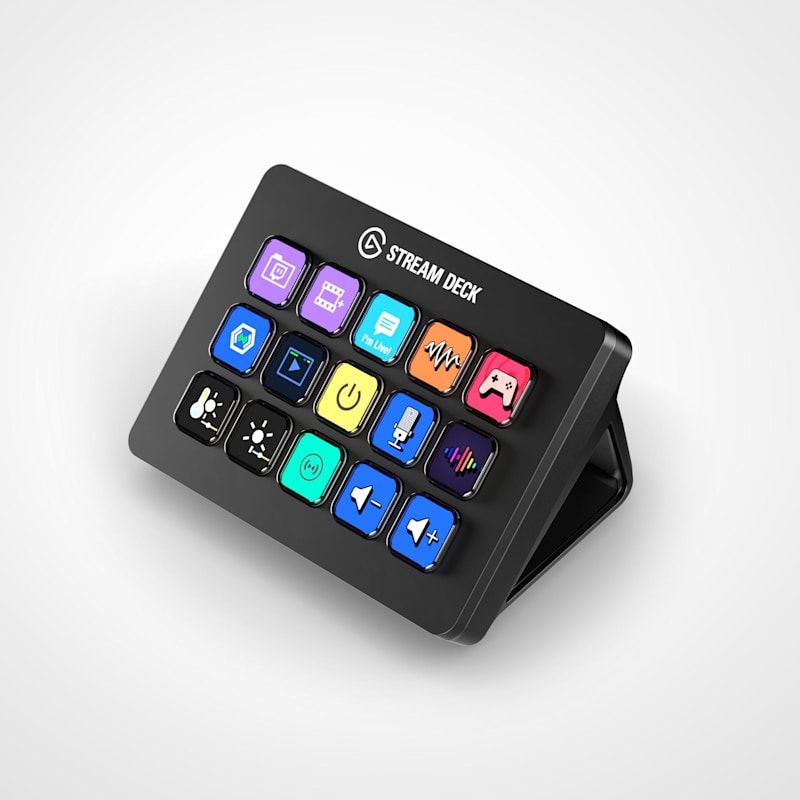
- Stream Deck MK.2 — 15 keys, USB-C, the standard workhorse
- Stream Deck + — 8 keys plus 4 rotary dials and a touch strip, good for level control
- Stream Deck + XL — 36 keys plus 6 dials and touch strip, larger footprint
- Stream Deck XL — 32 keys, USB-C, no dials
- Stream Deck Pedal — 3 foot switches for hands-free triggering
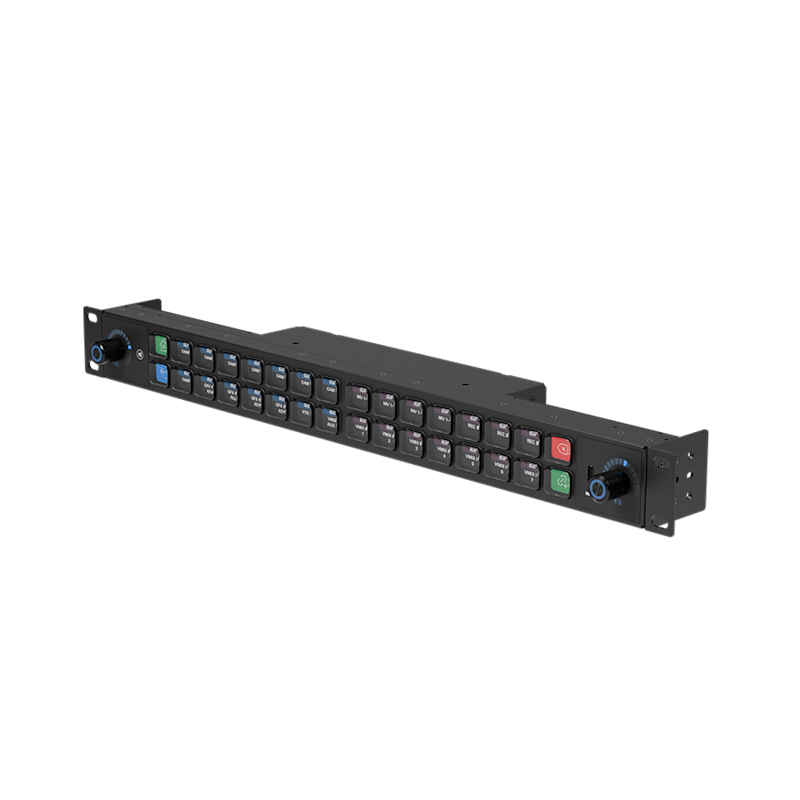
- Stream Deck Studio — 32 keys plus 2 encoders, 1U rack-mount, PoE or USB-C, NFC/RFID reader built in
The Studio is the one that’s been showing up in more permanent installs — rack-mountable, PoE-powered, NFC/RFID for operator authentication. For touring use the MK.2 and XL are the most common. The + series is worth a look if you want hands-on level control without a dedicated surface, since the dials map cleanly to fader-style actions.
No Hardware Required
You don’t need a Stream Deck or any physical surface to use Companion. The software includes a built-in web UI that renders a fully functional button grid in any browser — point a phone, tablet, or second laptop at Companion’s IP address and you have a touchscreen shotbox with zero additional hardware. The web buttons support the same pages, feedback, and actions as a physical surface, so you can run an entire show from an iPad if that’s what you’ve got. For installs where a dedicated surface isn’t in the budget, or for backup ops when hardware fails at a bad time, the web interface is a legitimate primary control layer, not just a configuration tool.
Satellite, Pi, and Distributed Setups
Once you’re past a single surface, Companion Satellite becomes relevant. It’s a lightweight companion app (not a full Companion install) that runs on a separate machine and connects back to your main Companion instance over the network. This means you can have a Stream Deck at FOH, one at the lighting position, one backstage at the stage manager’s desk — all running from a single Companion configuration on one computer, with each surface showing different button pages.
Companion Pi is a pre-built Raspberry Pi image with Companion pre-installed — flash it to an SD card and you have a dedicated headless Companion node that boots straight into the software. Useful for permanent installs where you want the system self-contained and not dependent on a crew laptop.
Some Practical Setups
Concert touring, single LD: Stream Deck XL at FOH, Companion running on the LD’s laptop. Buttons across three pages: page one fires grandMA3 macros and executor flashes, page two handles Resolume clip triggers and layer enables, page three controls comms and video routing. One machine, one config file, everything talking over the show network.
Theatre install, distributed positions: Companion Pi in the rack, Satellite on the board op’s laptop and on a tablet at the stage manager’s console. SM gets go/stop/hold for QLab and EOS from their Stream Deck MK.2; board op has a larger XL for full console macros. Both run off the same Companion instance; the SM’s pages are locked down to what they need.
Corporate AV, no dedicated op: Stream Deck Studio rack-mounted in a podium, Companion Pi behind it. Buttons handle ATEM cuts, presentation advance, mic mutes on the Allen & Heath, room lighting scenes via ETC Paradigm, and record start/stop. Client presenter gets a one-page button surface with no way to accidentally touch the wrong thing.
Media server utility: Companion running on the server machine itself, Satellite on a phone in the LD’s pocket. Quick clip advance and layer enable/disable without touching the mouse during a show. Feedback on the buttons shows which clips are active.
Buttons: The Commercial Version
Bitfocus also makes Buttons, a commercial product built on the same foundation as Companion but adding workflow graphs, cue lists, NMOS routing, multi-operator position management, NFC authentication, and a more polished UI aimed at permanent broadcast and installed AV deployments. It supports the full Stream Deck lineup including the Studio. Companion remains fully free and open source; Buttons is the paid tier for facilities that need the additional features and vendor support.
Companion is available free for Windows, Mac, and Linux at bitfocus.io/companion.
LatestHeadlines
- Cameo's ZIYA Series Splits the Difference Between Wash and Punch in an IP65 Package
- Luminex GigaCore Firmware v1.9.2: IGMP and QSFP Fixes for O26-I, SFP Tuning
- Disguise Replaces Disguise Cloud with MyDisguise, Teases X Series Launch
- Weekend Roundup — September 21–26, 2026
- Neutrik's FIBERFOX Line Gets Ruggedized for Harsh Environments