Swisson XMT-500 Gets a Node App and Full RDM Package in Latest Update
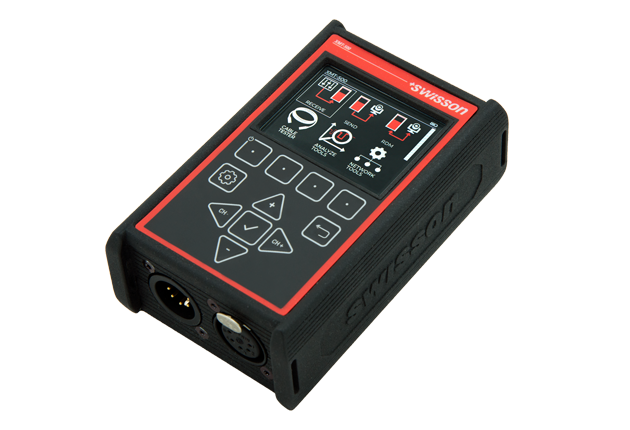
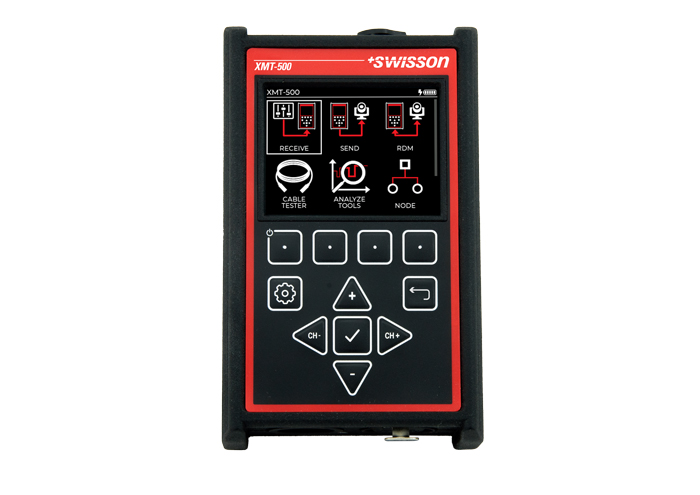
Swisson has pushed two significant additions to the XMT-500 — a Node App and an Advanced RDM Feature Package — making what was already a serious field diagnostic tool considerably more capable as a day-to-day networking utility. The Node App is the bigger headline: it turns the XMT-500 into a portable 2-port Ethernet-to-DMX node, letting you configure protocols, merge modes, IP addresses, and universe assignments right from the device without pulling out a laptop. For the tech who’s under a stage with no time to fuss, that’s a genuine workflow win.
The Advanced RDM Feature Package fills in the gaps that the base RDM implementation left open — editing device labels, start addresses, sub-device navigation, and remote resets are all now on the table. For anyone commissioning a large rig with RDM-enabled fixtures, this moves the XMT-500 from a diagnostic curiosity into a legitimate commissioning tool. Both are available as downloads now, and given Swisson’s track record of free firmware updates, there’s more to come.
As a refresher on what the XMT-500 actually is: it’s Swisson’s flagship handheld tester — 0.445 kg (just under 1 lb), 122 x 75 x 43 mm (4.8″ x 2.95″ x 1.7″), running on an internal Li-ion battery charged via USB-C. It handles DMX signal generation, real-time monitoring, precision timing analysis for DMX and RDM, and cable testing for both XLR and RJ-45. The etherCON port supports Art-Net 1–4 and sACN. The 2.4″ IPS TFT display stays readable in direct sunlight — important when you’re troubleshooting under stage wash.
More from Swisson on the new features:
We are excited to announce two powerful new features now available for the XMT-500: the Node App and the Advanced RDM Feature Package.
The Node App brings intuitive control over network and port settings, allowing for fast configuration of protocols, merge modes, IP addresses, and more — all directly from the device. With a clear layout and streamlined navigation, managing universes and port modes has never been easier.
Complementing this, the Advanced RDM Feature Package unlocks the full potential of Remote Device Management. From editing device labels and start addresses to navigating sub-devices and performing resets, this update gives users precise control over RDM-enabled equipment — right at their fingertips.
Both features are designed with speed, clarity, and ease of use in mind. Download them today and take your XMT-500 to the next level.
Learn more about the XMT-500 and download the new features at swisson.com.

LatestHeadlines
- Cameo's ZIYA Series Splits the Difference Between Wash and Punch in an IP65 Package
- Luminex GigaCore Firmware v1.9.2: IGMP and QSFP Fixes for O26-I, SFP Tuning
- Disguise Replaces Disguise Cloud with MyDisguise, Teases X Series Launch
- Weekend Roundup — September 21–26, 2026
- Neutrik's FIBERFOX Line Gets Ruggedized for Harsh Environments